
Best Sales Forecasting Software for 2026

Alex Zlotko
CEO at Forecastio
Last updated
Reading time
15 min

Try an All-in-One Forecasting Platform
In today's data-driven business environment, accurate sales forecasting isn't just helpful - it's essential for strategic decision-making. Only 45% of sales leaders and sellers have high confidence in their organization's forecasting accuracy (Gartner). Modern sales forecasting software transforms how businesses predict future revenue by combining sophisticated AI algorithms with your CRM data to deliver unprecedented accuracy.
What You'll Learn in This Guide
Why traditional forecasting methods fall short for growing businesses
Key features to consider when selecting revenue forecasting tools
In-depth reviews of the top 19 sales forecasting solutions for various business cases
How AI forecasting tools are revolutionizing revenue predictions
Step-by-step implementation guidance for maximum ROI
Whether you're using HubSpot, Salesforce, or another CRM, this comprehensive guide will help you identify the best forecasting software to transform your sales planning process and hit your revenue targets consistently.
What Is the Best Sales Forecasting Software?
The best sales forecasting software combines your CRM's pipeline data with AI models trained on historical deal outcomes to predict revenue more accurately than spreadsheets or rep intuition. For most B2B teams, tools like Forecastio, Clari, and Aviso lead the category. The right choice depends on team size, deal complexity, and how deeply it needs to integrate with your CRM.
How Much Can Sales Forecasting Software Improve Accuracy?
Sales forecasting software can meaningfully improve accuracy, but the gains depend on how much historical deal data you have to train the model on. Across 25+ mid-sized and large B2B software companies we've analyzed, teams with 500+ historical won and lost deals saw forecast accuracy improve 15–20% after adopting AI-driven forecasting software, compared to manual methods.
Best Sales Forecasting Software by Use Case
Choosing the right sales forecasting software depends heavily on your CRM, sales model, and forecasting complexity. Here are some of the best tools by use case:
Best for HubSpot users: Forecastio
Best for enterprise revenue operations: Clari
Best for Salesforce workflow automation: Weflow
Best for conversational intelligence and forecasting: Gong
Best for enterprise scenario planning: Pigment
Some platforms focus mainly on reporting and dashboards, while others provide AI forecasting, audit trail, scenario planning, and advanced revenue intelligence capabilities.
The most advanced revenue intelligence platforms combine sales forecasting with pipeline intelligence, deal intelligence, conversation intelligence, AI agents, and workflow automation, giving revenue teams a much broader operational view than forecasting software alone
Why CRM and Spreadsheets Aren't Enough for Revenue Forecasting
While many sales teams begin their forecasting journey with basic CRM tools and spreadsheets, these methods quickly show their limitations as organizations scale. Here's why dedicated sales forecasting software has become essential:
The Hidden Costs of Basic Forecasting Methods
Manual Errors: Spreadsheet-based forecasting is prone to formula mistakes, version control issues, and human error, resulting in costly miscalculations
Static Data: Traditional CRM forecasting tools rely on fixed probability percentages that don't adapt to changing market conditions
Limited Visibility: Without advanced analytics, sales leaders lack real-time pipeline insights needed for strategic decisions
Time Waste: In Forecastio's analysis of 100+ B2B sales organizations (teams of 5+ reps, hundreds of open pipeline deals), sales teams spend an average of 4–5 hours weekly maintaining manual forecasts.
How AI Forecasting Tools Transform Revenue Predictions
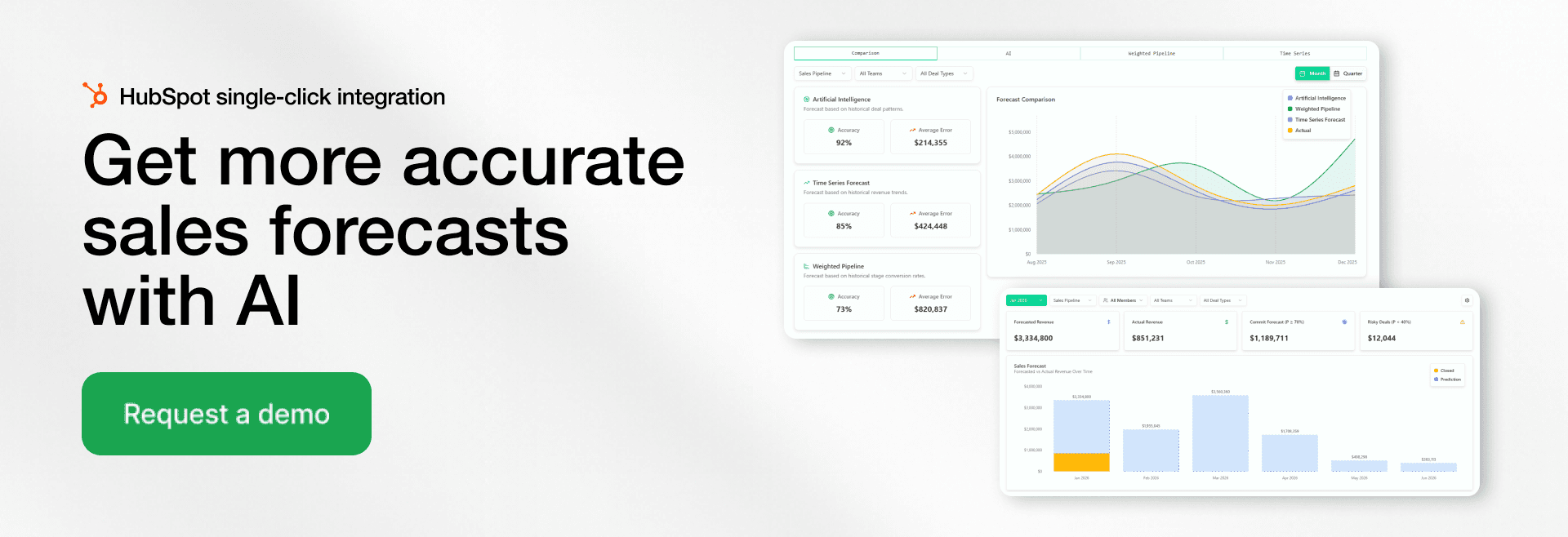
AI-driven sales forecasting software is reshaping how revenue teams plan, track, and adjust their forecasts. Instead of relying on static reports or manual assumptions, modern forecasting platforms continuously analyze deal activity and historical outcomes to reflect real market conditions.
Flexible Forecasting Models: Advanced sales forecasting software applies multiple forecasting approaches at once, selecting the most relevant logic based on pipeline structure, sales cycle length, and data availability. Platforms like Forecastio combine historical performance, pipeline dynamics, and AI-based probability scoring to improve forecast reliability.
Live Forecast Visibility: Forecasts evolve automatically as deals progress. Sales leaders can instantly see how changes in close dates, deal values, or pipeline movement impact expected revenue, without waiting for manual updates.
AI-Driven Deal Insights: Modern sales forecasting tools detect risk signals early by identifying stalled deals, slipping close dates, and unusual stage behavior. This helps teams prioritize the right opportunities and take action before revenue is at risk.
CRM-Driven Automation: By syncing directly with CRM systems, sales forecasting software removes manual data handling and keeps forecasts accurate, consistent, and always up to date.
For growing companies, adopting dedicated sales forecasting software like Forecastio is no longer optional. It has become a critical advantage for improving forecast accuracy, optimizing resource allocation, and building predictable revenue growth.
How Modern AI Sales Forecasting Actually Works
Modern AI sales forecasting software does much more than apply static probabilities to pipeline stages.
AI forecasting models continuously analyze historical CRM data, sales activity, pipeline movements, and deal behavior patterns to estimate both the likelihood of closing a deal and the most probable close date.
Depending on the platform, AI forecasting may analyze:
historical won/lost deals
time spent in each pipeline stage
deal slippage patterns
sales rep historical performance
email and meeting activity
deal amount changes
seasonality and revenue trends
Unlike traditional weighted pipeline forecasting, AI forecasting models can recalibrate probabilities automatically as new data appears in the CRM.
This helps sales and RevOps teams reduce subjectivity, detect risks earlier, and improve forecast accuracy over time.
5 Signs You Need Sales Forecasting Software Now
Many revenue teams delay adopting dedicated forecasting tools until missed targets and pipeline confusion become chronic problems. Don't wait for a forecasting crisis—here are the clear indicators it's time to upgrade your forecasting capabilities:
1. Your Sales Team Exceeds 5 Reps
Managing forecasts manually works for very small teams, but forecast accuracy drops sharply once you have 5+ sales reps without proper sales forecasting tools to coordinate predictions.
2. You Manage 100+ Open Deals
When your pipeline grows beyond 100 active opportunities, manual tracking becomes impossible. Sales forecasting software automatically monitors changes across hundreds of deals, dramatically improving sales pipeline visibility.
3. Forecast Variance Exceeds 15-20%
Research found that 79 percent of sales organizations miss their sales forecast by more than 10 percent. If your actual results consistently miss forecasts by wide margins, you need AI sales forecasting based on real-time data to improve prediction accuracy.
4. You're Forecasting Across Multiple Segments
Basic CRM forecasting can't handle the complexity of multi-region or multi-product forecasting. Advanced forecasting solutions provide the segmented views needed for nuanced analysis.
5. You Spend 3+ Hours Weekly on Manual Updates
When forecast maintenance consumes more than 3 hours weekly, specialized forecasting tools deliver significant ROI through time savings alone.
If two or more of these warning signs apply to your organization, it's time to implement revenue forecasting software before missed forecasts impact business planning.
Top Sales Forecasting Software by Use Case
Tool | Best For | Company Size | Starting Price |
|---|---|---|---|
Forecastio | Sales teams that need fast implementation, maximum forecasting flexibility, and multiple forecasting models for different sales motions | 5+ reps | $249/mo |
Aviso | Organizations looking for advanced AI forecasting and deal intelligence | 50+ reps | Custom |
Gong | Revenue teams that rely heavily on conversation intelligence and forecasting | 50+ reps | Custom |
Clari | Enterprise revenue operations teams with complex forecasting processes | 100+ reps | Custom |
Pigment | Large organizations requiring forecasting, planning, and scenario modeling across departments | 100+ reps | Custom |
How We Evaluated These Tools
Choosing tools for this list wasn't about picking the biggest names or the ones with the most marketing budget. We built this guide around the criteria that actually determine whether a forecasting tool works for a real revenue team and we're transparent about how each tool was assessed.
Our Evaluation Criteria
Every tool on this list was assessed against the same core factors:
Forecasting methodology. Does it rely on static probabilities, or does it use AI, time-series analysis, and historical performance data?
CRM integration depth. Native, certified integrations vs. basic or manual data sync.
Accuracy tracking. Can teams measure forecasted vs. actual results over time?
Audit trail and transparency. Can users see why a forecast changed?
Pricing transparency. Publicly listed pricing vs. "contact sales" only.
Team size and use case fit. Which sales motions and company sizes each tool is actually built for.
How We Researched Each Tool
As the team behind Forecastio, we have direct, hands-on experience with Forecastio's own forecasting engine, integrations, and customer use cases — that section reflects our own product knowledge. For the other tools on this list, our research is based on publicly available information: vendor documentation, pricing pages, product demos, G2 and Capterra reviews, and direct comparisons published by the vendors themselves. We link out to primary sources (official pricing pages, feature docs) throughout the article so you can verify current details yourself.
Keeping This Guide Current
Software pricing and features change frequently. We recommend verifying current pricing directly with each vendor before making a purchasing decision. This guide was last substantively reviewed on Aug 16, 2026. See the "Last updated" note at the top of this article.
Best Sales Forecasting Software for 2026: In-Depth Reviews
AI Forecasting & Revenue Intelligence Platforms
1. Forecastio
Overview
Forecastio is a sales forecasting and revenue intelligence platform for B2B revenue teams, offering a strong alternative to Clari with faster implementation and more affordable role-based pricing.
Best For
Best for: B2B sales and RevOps teams that want reliable forecasting, stronger pipeline and deal visibility, and AI-powered revenue intelligence without replacing their CRM.
Key Features
Multiple forecasting methods, including AI/ML, weighted pipeline, time series, and rep/manager forecast submissions
Collaborative forecast submissions and roll-ups with forecast categories, deal-level adjustments, comments, and historical comparisons
Forecast accuracy tracking by method, team, rep, and forecast horizon, plus a detailed audit trail showing exactly what changed between forecast reviews
Pipeline and deal intelligence that identifies stalled deals, slippage risks, engagement gaps, pipeline leakage, and other revenue risks
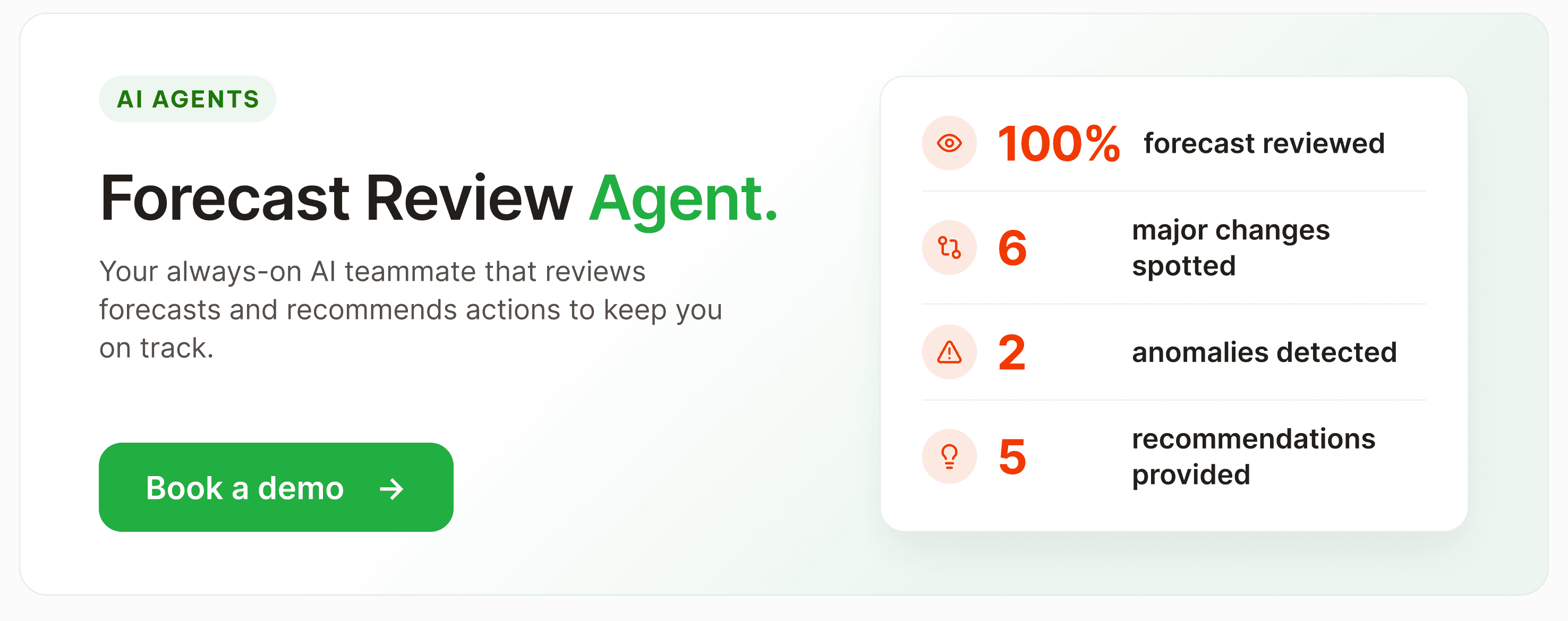
AI agents for forecast reviews, deal reviews, win/loss analysis, and forecast accuracy analysis, with recommendations and automated actions
What-if scenarios for testing changes to deal probabilities, amounts, stages, and other forecast assumptions
Pros
Combines forecasting, pipeline intelligence, deal intelligence, and AI-powered revenue analysis in one platform
Multiple forecasting methods reduce reliance on rep commits or static CRM stage probabilities
Comprehensive forecast audit trail makes forecast changes transparent and easy to investigate
Faster implementation and more affordable role-based pricing than larger enterprise revenue platforms
Cons / Limitations
Smaller and newer platform than established category leaders such as Clari and Gong
AI forecasting requires sufficient historical CRM data to deliver reliable predictions
Some enterprise capabilities and integrations are still expanding
Pricing
Forecastio's Sales Forecasting plan starts at $249/month and includes one admin seat, with additional seats at $49/month. The Forecasting & Revenue Intelligence plan starts at $369/month and includes one admin seat, with additional seats at $69/month. Plans are billed annually, with a 30-day trial available.
2. Clari
Overview
Clari is an enterprise revenue operations platform that unifies AI-driven forecasting, pipeline inspection, and deal execution signals from CRM data, built for CROs and RevOps teams at mid-market and enterprise B2B companies.
Best For
Best for: Enterprise sales organizations (50+ reps) with a dedicated RevOps function that need board-level forecast accuracy.
Key Features
AI Revenue Agents and "Capture" module for automated data-quality/activity capture
"Inspect" opportunity management with pipeline-risk scoring
"Forecast" module for roll-up forecasting across regions/territories
Post-2025-merger "Groove" (Salesloft's engagement tool) and "Copilot" conversation intelligence now part of the combined suite
Pros
Mature enterprise forecasting with strong regional, team, and management roll-ups
Comprehensive pipeline inspection and forecast management capabilities
Well suited to large, complex sales organizations with established RevOps teams
Broad revenue platform that extends beyond forecasting into deal execution and conversation intelligence
Cons / Limitations
Steeper learning curve than lighter forecasting platforms
Implementation can require significant time and RevOps resources
High contract values can make it expensive for smaller sales organizations
No transparent public pricing and longer-term contracts are common
Pricing
Quote-only, no public pricing page. Aggregated buyer reports (Tomba.io, Outdoo.ai) place per-seat costs around $1,000-$1,500/user/year, with typical annual contracts of $24,000-$120,000+ depending on modules; full-stack deployments combining Core, Copilot Enterprise, and Groove reported at $200-$400/user/month by one analysis. These are third-party estimates, not vendor-confirmed figures.
3. Gong
Overview
Gong is a revenue intelligence platform built around AI-driven conversation analytics, deal-health scoring, and forecasting, built for mid-market and enterprise B2B sales teams whose reps run recorded sales calls.
Best For
Best for: Sales orgs with 30+ reps and average deal sizes above roughly $85,000 where call coaching and AI-driven forecasting justify a premium platform fee.
Key Features
AI Revenue Predictor and Forecast module that draws on 300+ conversation and engagement signals, not just rep-submitted commit numbers to project deal outcomes, which Gong claims is roughly 20% more precise than CRM-only forecasting models
Deal Likelihood Score using 300+ data points (engagement signals, communication cadence, competitor mentions, stakeholder involvement) to predict close probability and flag risk indicators like "buyer gone silent" or "single-threaded deal"
Roll-up forecasting and deal boards inside the Forecast module, giving managers real-time pipeline-change visibility instead of waiting for a weekly forecast call
Speech-recognition transcription with speaker separation, reported at 85-90% accuracy across accents, feeding the trackers that surface objections and competitor mentions
Pros
Best-in-class conversation intelligence and sales call analysis
Uses extensive conversation and engagement signals to assess deal health and forecast risk
Strong deal intelligence for identifying buyer disengagement, single-threading, and other revenue risks
Combines conversation data, pipeline visibility, and forecasting within a broad revenue intelligence platform
Cons / Limitations
Forecasting is a separately licensed module rather than a core capability included by default
Forecasting is less established than Gong's conversation intelligence capabilities
Broad feature set can make the platform complex for teams that need only forecasting
Premium pricing, additional platform fees, and no transparent public pricing
Pricing
Quote-only, no public pricing. Third-party analyses report roughly $1,400-$3,000/user/year depending on modules, with combined Foundation+Forecast reported around $158-$183/user/month, these figures come from aggregated buyer/procurement data, not Gong's own site.
4. Aviso
Overview
Aviso is an AI-powered revenue operating system combining forecasting, pipeline inspection, conversation intelligence, and sales engagement in one platform, built for enterprise B2B sales and RevOps teams wanting to consolidate their tech stack.
Best For
Best for: Enterprise sales orgs (100+ reps) with a strong RevOps function that want AI forecasting sophistication beyond Clari's out-of-the-box offering.
Key Features
AI forecasting models that independently score deals rather than only aggregating rep-submitted commits, with pipeline scored across five dimensions to guide manager intervention
"MIKI" generative-AI assistant for deal guidance and forecast-relevant next-best-actions
Forecasting, pipeline inspection, and conversation intelligence bundled into the core platform rather than sold as separate modules
Customer-success intelligence layered onto the same platform, extending forecast visibility beyond new-business pipeline
Pros
Sophisticated AI forecasting that independently evaluates deal and pipeline signals
Combines forecasting, pipeline inspection, conversation intelligence, and sales engagement
Strong deal scoring and AI-driven recommendations for manager intervention
Suitable for large enterprises looking to consolidate multiple revenue intelligence tools
Cons / Limitations
More complex implementation than lighter forecasting platforms
Requires significant training to take advantage of the full feature set
High subscription costs can make it unsuitable for smaller organizations
HubSpot integration is less mature than its Salesforce integration
Pricing
Quote-only; Aviso does not publish pricing. Aggregated buyer reports place reported figures around $40-$100/user/month on annual contracts, though Aviso has not confirmed these publicly — treat as an estimate.
5. Kluster
Overview
Kluster (also styled Kluster.com) is an AI-native revenue forecasting and reporting platform that turns CRM data into pipeline dashboards and board-ready forecasts, built for mid-market SaaS RevOps teams and enterprise revenue leaders.
Best For
Best for: Mid-market SaaS sales orgs (roughly 50-200 reps) wanting Clari-comparable forecast output at a lower price and faster deployment.
Key Features
AI-generated forecast figure combined with a drag-and-drop manual forecasting interface, letting managers adjust AI output against their own read of the pipeline
Revenue dashboards visualizing pipeline health, forecast trends, and team performance without building custom Salesforce reports
"Vision" funnel visualization and a community "Newsfeed" feature for sharing forecasting/RevOps practices
Board-ready reporting layer built specifically to shorten board-deck prep time
Pros
Combines AI-generated forecasts with flexible manual forecasting
Strong pipeline dashboards and board-ready revenue reporting
Faster and lighter implementation than many enterprise forecasting platforms
Particularly well suited to mid-market SaaS RevOps teams
Cons / Limitations
Data synchronization issues can require users to verify numbers against Salesforce
AI forecast methodology can be difficult for users to understand and trust
Some dashboards offer limited flexibility for deeper customization
Limited native support for external intent and buying signals
Pricing
No public pricing (G2's pricing page confirms the vendor has not disclosed rates). One third-party source cites a Vendr-reported median contract value of $39,500/year, but this is a reported aggregate, not a published rate card.
6. InsightSquared
Overview
InsightSquared is a revenue intelligence and analytics platform (part of Mediafly's Revenue360 suite) offering AI-powered forecasting and pipeline dashboards, built for RevOps teams on Salesforce or HubSpot that want deeper analytics than native CRM reporting.
Best For
Best for: RevOps teams needing AI-assisted forecasting and pipeline-health dashboards layered on top of Salesforce or HubSpot.
Key Features
AI-driven forecasting that compares current pipeline against historical booking averages to flag whether the current quarter is tracking ahead or behind
Financial forecasting and forecasted-bookings comparisons built directly into the reporting layer
RevOps dashboards consolidating sales, marketing, and customer-success metrics into one forecast-relevant view
Ad hoc reporting, automated scheduled reporting, and predictive/profit/trend analysis
Pros
Deep revenue analytics beyond standard CRM reporting
AI-assisted forecasting based on current pipeline and historical performance
Strong pipeline-health and performance dashboards
Supports both Salesforce and HubSpot environments
Cons / Limitations
Some CRM changes may not automatically propagate into forecasts, requiring additional data management
Broad analytics functionality creates a learning curve for new users
Primarily designed around Salesforce and HubSpot rather than CRM-agnostic forecasting
No transparent public pricing
Pricing
No public pricing located; multiple listings direct buyers to request a custom quote. One source's relative pricing score (2.6/10, where 10 is most expensive) suggests it is priced below premium enterprise tools, but no dollar figure could be confirmed.
Salesforce-Native Add-Ons
7. Weflow
Overview
Weflow is a Salesforce-native revenue AI platform that combines pipeline management, deal inspection, and collaborative forecasting, built for RevOps leaders and B2B revenue teams running on Salesforce.
Best For
Best for: Salesforce-based RevOps teams and revenue leaders who want lightweight pipeline/forecast collaboration without leaving Salesforce.
Key Features
Collaborative forecast submission with waterfall views and quarterly predictions, synced automatically back to Salesforce
Forecast-accuracy tracking per rep, flagging chronic over- or under-estimators ("sandbaggers and optimists") so managers know whose commit to trust
Real-time deal signals and risk alerts that flag stalled or at-risk deals before they slip out of the forecast
Automations for Slack/inbox alerts on deals that haven't been updated ahead of a forecast call
Pros
Strong Salesforce-native workflow and automatic CRM synchronization
Collaborative forecast submissions and waterfall views
Forecast accuracy tracking helps identify consistently optimistic or conservative reps
Easier and more affordable to deploy than many enterprise forecasting platforms
Cons / Limitations
Designed specifically around Salesforce
Fewer enterprise forecasting capabilities than platforms such as Clari
Does not provide the same depth of independent AI forecasting as dedicated forecasting platforms
Smaller customer and public review base than established category leaders
Pricing
Public starting price is cited inconsistently across sources — SourceForge and Zapier list $39/user/month, while G2's own pricing page lists entry-level at $20/user/month. Confirm current tiers directly with Weflow before publishing.
8. Revenue Grid
Overview
Revenue Grid is a Salesforce-native revenue intelligence and guided-selling platform that automates activity capture and surfaces deal-progression risk to support forecasting, built for Salesforce-using sales teams wanting AI-guided next-best-actions.
Best For
Best for: Salesforce-native sales teams wanting automated activity capture, guided-selling prompts, and AI-assisted forecasting without heavy manual CRM logging.
Key Features
Forecasting and guided-selling module (gated to the Ultimate tier) that combines AI-driven deal guidance with pipeline roll-ups
Automated Outlook/Gmail activity capture into Salesforce, which reduces the stale-data problem that undermines forecast accuracy at other Salesforce-native tools
AI-driven guided-selling signals and pipeline-risk surfacing to explain why a forecast number is moving
Salesforce-native workflow support spanning pipeline visibility through forecasting
Pros
Combines forecasting with automated Salesforce activity capture
Strong guided-selling capabilities and AI-driven next-best actions
Automatically captures email and calendar activity, improving the quality of forecast inputs
Strong fit for Salesforce teams that want forecasting and sales execution guidance together
Cons / Limitations
Forecasting and guided selling require higher-priced plans
Steeper learning curve than lightweight Salesforce add-ons
Setup and customization can require substantial time and vendor support
Less attractive for teams primarily interested in forecasting rather than the broader guided-selling
Pricing
Publicly listed on G2: entry-level at $30/seat/month, with the tier unlocking forecasting/guided-selling reported around $149/seat/month. Confirm exact current tiers directly, as gated-feature complaints suggest the entry price doesn't reflect what most forecasting-focused buyers will actually pay.
Full CRM Platforms
9. Salesforce
Overview
Salesforce Sales Cloud (rebranded Agentforce Sales) is an enterprise CRM offering customizable pipeline management, forecasting, automation, and an AI agent layer, built for mid-market and enterprise sales organizations with dedicated administration resources.
Best For
Best for: Mid-market to enterprise sales organizations that need deep customization, multi-currency/territory forecasting, and a large third-party app ecosystem.
Pros
Highly customizable forecasting for complex sales organizations
Supports territory, hierarchy, multi-currency, and enterprise forecasting requirements
Deep workflow automation and extensive integration capabilities
Massive AppExchange ecosystem for extending native forecasting functionality
Cons / Limitations
Requires significant configuration and ongoing administration
Advanced forecasting and AI capabilities can substantially increase total licensing costs
Complexity can make implementation slower than with purpose-built forecasting tools
Forecasting depth often depends on edition, configuration, and additional products
Cons / Limitations
G2 reviewers note licensing fees and advanced-AI add-on costs make ROI harder to justify early in an implementation, particularly once forecasting depth requires Enterprise/Unlimited tiers
A recurring complaint: "incredibly powerful but requires constant administration... we spend more on consultants than on the license itself"
Agentforce AI pricing has changed three times since 2024 (per-conversation, then Flex Credits, then tier-bundled), which reviewers say makes budgeting difficult
Performance can degrade as org complexity grows without careful pre-planning
Pricing
Publicly listed on G2's pricing page: Starter Edition $25/user/month (10-user cap, no forecasting); Professional $100/user/month (unlocks forecasting); Enterprise $165/user/month; Unlimited $330/user/month; Agentforce 1 Sales bundle reported at $550/user/month. Confirm current tiers directly, as Salesforce pricing changes frequently and AI add-ons are billed separately in some configurations.
10. HubSpot
Overview
HubSpot is a CRM and sales-engagement platform offering pipeline management, sequences, meeting scheduling, and forecasting, built for small-to-mid-size B2B sales teams already using or considering the broader HubSpot ecosystem.
Best For
Best for: Small-to-mid-size B2B teams (roughly 10-100 reps) that want an integrated CRM/marketing/sales stack with transparent published pricing.
Key Features
Deal-based forecast reporting tied to the visual, customizable pipeline, so forecast figures roll up directly from pipeline stage and probability
Free-forever CRM tier with paid Sales Hub tiers layered on top
Breeze AI Prospecting Agent for research-assisted outreach
Native sequences and meeting scheduler built into the CRM
Pros
Forecasting is tightly integrated with CRM, pipeline management, and sales activity data
Easier to implement and administer than many enterprise CRMs
Strong choice for teams already operating their sales and marketing processes in HubSpot
Transparent pricing and a broad ecosystem of native sales and marketing tools
Cons / Limitations
Native forecasting is less sophisticated than dedicated forecasting platforms
Limited forecast analytics and scenario modeling for complex revenue organizations
Significant price increase between entry-level and Professional/Enterprise tiers
Costs can increase considerably as additional seats, contacts, and advanced capabilities are added
Pricing
Publicly listed: Free CRM tier; paid Sales Hub plans starting around $20/seat/month (Starter) scaling to roughly $100-$150/seat/month (Professional/Enterprise). Confirm exact current tiers on HubSpot's pricing page, as add-on credits and contact-tier auto-upgrades affect total cost.
11. Pipedrive
Overview
Pipedrive is a sales-first CRM built around a visual, drag-and-drop pipeline with lead management, activity tracking, and forecast reporting, built for small-to-mid-size B2B sales teams (roughly 2-30 reps) prioritizing fast setup over deep customization.
Best For
Best for: Small B2B sales teams running a defined, transactional sales motion that want fast time-to-value without Salesforce-level configuration.
Key Features
Subscription and forecast reports added at the Growth tier, projecting revenue and recurring-revenue timing directly from pipeline data
Live revenue forecasting tied to the visual pipeline, with "deal rotting" cues that flag stalling deals before they distort the forecast
AI-generated reports and an AI Sales Assistant available from the Growth tier up
500+ marketplace integrations plus an open REST API
Pros
Very intuitive visual pipeline and straightforward forecasting experience
Fast implementation with minimal administration required
Affordable compared with larger CRM and forecasting platforms
Strong fit for smaller teams with relatively simple and predictable sales processes
Cons / Limitations
Forecasting is unavailable on the entry-level plan
Reporting and forecasting lack the depth required for complex enterprise sales organizations
Limited multidimensional and advanced forecasting capabilities
Add-ons can significantly increase the total cost beyond the advertised seat price
Pricing
Publicly listed. Reported as starting around $14/user/month (Lite, billed annually) up to $79/user/month (Ultimate); G2's own pricing page lists entry at $24/user/month for Lite on monthly billing. Confirm current tiers on Pipedrive's site — annual vs. monthly billing changes the headline price.
12. EngageBay
Overview
EngageBay is an all-in-one CRM and marketing-automation platform bundling sales, marketing, helpdesk, and live chat with built-in deal forecasting, built for small and mid-sized businesses that want HubSpot-like functionality at a lower price point.
Best For
Best for: Small B2B service businesses, agencies, and startups that want marketing, sales, support, and basic revenue forecasting in one budget-friendly platform.
Key Features
Deal forecasting based on the expected closure date of each opportunity, giving a revenue projection over a selected time period directly from the sales dashboard
AI-assisted deal-trajectory forecasting layered onto the visual pipeline, alongside customizable reports covering total sales revenue, average deal size, and sales growth over time
Free-forever plan covering basic CRM and email tools for up to 250 contacts and up to 15 users
Bundled helpdesk and live chat included even on the free tier — tools many competitors sell separately
Pros
Affordable all-in-one alternative combining CRM, marketing, sales, and support
Simple pipeline-based revenue forecasting for smaller sales organizations
Easy to adopt without extensive CRM administration
Offers a free plan and lower entry costs than major CRM platforms
Cons / Limitations
Forecasting is considerably more basic than purpose-built forecasting platforms
More advanced reporting and forecasting capabilities require the highest-tier plan
Less suitable for complex or enterprise forecasting requirements
Smaller native integration ecosystem than HubSpot and Salesforce
Pricing
Publicly listed: free plan (up to 250 contacts); paid CRM Suite starting at $14.99/user/month, scaling to $64.99 (Growth) and $119.99/user/month (Pro), with annual/biennial discounts — consistent across independent sources.
13. Kylas
Overview
Kylas (Kylas Sales CRM) is a no-code CRM offering lead and pipeline management with built-in revenue forecasting, priced flat per organization rather than per user, built for small and medium-sized businesses that want CRM and forecasting without per-seat licensing costs.
Best For
Best for: Small and medium businesses wanting an affordable, easy-to-configure CRM with basic revenue forecasting and no per-seat pricing.
Key Features
Revenue forecasting based on each deal's expected closure date, giving a projected view of how much revenue the team can generate within a chosen time period
Predictive analytics that forecast future sales trends and flag potential opportunities or challenges by analyzing historical data and current pipeline trends
Flat/unlimited-user pricing model rather than per-seat licensing
Built-in calling, email, and WhatsApp integration for communication tracking
Pros
Flat organization-level pricing avoids increasing costs for every additional sales user
Straightforward pipeline management and revenue forecasting
Easy to configure for small and midsize sales organizations
Built-in communication tools reduce the need for additional sales applications
Cons / Limitations
Forecasting is relatively basic compared with dedicated forecasting platforms
Reporting can become complex as requirements grow
Performance issues may occur with larger datasets
Smaller native integration ecosystem than more established CRM platforms
Pricing
G2 lists an entry-level free tier ("Free per month"); Kylas is known in the market for flat, org-wide pricing rather than per-seat fees, but this research did not locate a specific current paid-tier dollar figure — confirm directly with Kylas before publishing.
Enterprise Planning & Scenario Modeling
14. Anaplan
Overview
Anaplan is a cloud-based connected-planning platform for scenario modeling, budgeting, and forecasting across finance, sales, supply chain, and workforce functions, built for large enterprises with dedicated FP&A or RevOps teams.
Best For
Best for: Large enterprises needing cross-functional (xP&A) scenario planning and multidimensional revenue/demand forecasting beyond spreadsheets.
Key Features
Polaris in-memory calculation engine for sparse, high-dimensionality forecasting and planning models
Dynamic scenario analysis and variance analysis for comparing forecast scenarios in real time
Data Orchestrator acting as a built-in hub for push/pull data integrations feeding forecast models
Co-Modeler, an AI-assisted model-building feature for faster forecast/plan construction
Pros
Extremely powerful multidimensional forecasting and scenario modeling
Connects revenue forecasting with finance, workforce, supply chain, and other enterprise planning
Highly flexible modeling for complex organizational structures and assumptions
Strong choice for large enterprises requiring cross-functional planning
Cons / Limitations
Significantly more complex than dedicated sales forecasting software
Steep learning curve and substantial implementation requirements
High cost makes it difficult to justify for smaller organizations or individual sales departments
Better suited to enterprise planning than day-to-day sales forecast management
Pricing
Quote-only/custom pricing — no public rate card. No reliable third-party per-seat estimate was found in this research; flag as unverified for the article.
15. Pigment
Overview
Pigment is an AI-powered business-planning and performance-management platform for dynamic financial modeling, scenario planning, and cross-functional revenue forecasting, built for mid-market and enterprise finance, sales, and workforce-planning teams.
Best For
Best for: Mid-market and enterprise finance/RevOps teams that need spreadsheet-like flexibility with enterprise-grade scenario planning, revenue forecasting, and governance.
Key Features
Integrated sales and revenue planning tools for building forecast scenarios that connect directly to broader financial and workforce plans
Dynamic, multidimensional modeling for revenue, finance, and workforce forecasts that update in real time as inputs change
Automated data imports from ERP/CRM sources to keep forecast inputs current and reduce manual entry errors
Autonomous AI agents ("modeler" and "analyst" agents) layered into the forecasting/planning workflow
Pros
Highly flexible multidimensional revenue and financial modeling
Strong real-time scenario planning and cross-functional collaboration
Connects sales forecasts with broader financial and workforce plans
Modern interface compared with many traditional enterprise planning platforms
Cons / Limitations
Requires substantial modeling knowledge to use effectively
Steeper learning curve for nontechnical sales users
Change-history and auditability capabilities have limitations
Better suited to business planning than operational deal-level forecasting
Pricing
No public pricing — G2 and other review sites confirm pricing is not disclosed and requires vendor contact. Two named tiers exist ("Essentials" and a higher tier with advanced scenario planning/reporting), but no dollar figures could be confirmed.
16. Xactly
Overview
Xactly (Xactly Incent) is an enterprise incentive-compensation management platform with dedicated forecasting and quota-planning modules, automating commission calculation and revenue forecasting, built for large enterprises with 500+ commissioned employees and dedicated compensation teams.
Best For
Best for: Large enterprises (1,000+ employees, 200+ commissioned reps) with a dedicated compensation-operations function that also need quota and revenue forecasting tied to comp plans.
Key Features
Xactly Forecasting module extending the platform beyond commission calculation into quota and revenue-forecasting territory, reportedly processing forecasts with 99.6% claimed accuracy at scale
Rules-based commission calculation engine trained on 20+ years of proprietary pay data, which ties compensation directly to forecast-relevant performance data
Xactly Analytics and Planning modules for territory planning and quota setting that feed the broader forecast
Multi-currency support and customizable plan documents
Pros
Connects forecasting with quota, territory, and incentive compensation planning
Handles complex enterprise compensation and planning requirements at scale
Strong fit for organizations that want revenue planning tied directly to sales performance
Extensive historical compensation and performance data underpin its planning capabilities
Cons / Limitations
Forecasting is a separate module rather than automatically included with the core compensation platform
Complex configuration can require professional services
Steep learning curve for administrators and business users
Generally unsuitable and too expensive for smaller sales organizations
Pricing
No public list pricing — all contracts are custom quotes. Third-party estimates place entry around $60/user/month for mid-market deployments, with implementation costs potentially reaching six figures for complex setups. Treat as estimate only.
Field/Outside Sales
17. SPOTIO
Overview
SPOTIO is a field-sales engagement and territory-management platform with mobile activity tracking, pipeline management, and location-based forecasting, built for door-to-door and outside B2B/B2C sales teams such as roofing, solar, telecom, and home-services companies.
Best For
Best for: Field/outside sales teams (20-200+ reps) needing territory mapping, rep activity tracking, and location-based sales forecasting.
Key Features
Pipeline analytics that combine deal-stage data with rep activity timestamps to flag which deals are tracking on-cycle versus stalling — useful for field teams where pipeline stages can be vague but activity data is reliable
Sales forecasting content and tooling built around territory-level revenue projection, since a single blended forecast can hide major variance between territories
200+ data overlay points for territory mapping and dynamic territory assignment, feeding rep- and territory-level forecast inputs
DASH AI co-pilot (launched 2025-2026) offering instant selling insights and AI-assisted activity logging
Pros
Designed specifically for field and outside sales organizations
Strong territory mapping and location-based sales visibility
Combines rep activity data with pipeline information to identify stalled opportunities
Integrates with major CRMs rather than requiring teams to replace their existing systems
Cons / Limitations
Forecasting is less sophisticated than dedicated sales forecasting platforms
Mobile app stability and login issues can affect field workflows
Longer-term forecasting requires historical analysis beyond opportunity-stage data
Minimum user requirements and annual contracts make it less attractive for very small teams
Pricing
No current public pricing page (G2 lists "Contact Us"). Third-party 2026 testing reports approximately $25/user/month on an annual contract as a realistic entry point; Capterra previously listed tiered pricing from $39 (Team) to $129 (Pro)/user/month, though SPOTIO no longer publishes these figures. Confirm via demo — figures vary by source.SalesRabbit
Financial/Cash-Flow Forecasting
18. ForecastX
Overview
ForecastX (ForecastX Wizard/Atlas) is a statistical forecasting add-in for Microsoft Excel that automates demand-planning and time-series forecasting, built for analysts and S&OP teams that want advanced forecasting without leaving Excel.
Best For
Best for: Demand-planning and S&OP teams that want statistical forecasting rigor layered directly onto existing Excel workflows.
Key Features
One-click forecasting that automatically interprets a dataset and selects the best statistical forecasting method — every classical time-series technique is included alongside newer forward-looking models
"Atlas" collaborative tool with menus identical to the Wizard for teams needing shared corporate-data access to a common forecast
What-if scenario modeling, dynamic modeling, and correlation analysis for testing forecast assumptions
Integrations with Salesforce Sales Cloud, QuickBooks Online, Power BI, Excel, and Zapier
Pros
Advanced statistical and time-series forecasting directly within Excel
Automatically selects appropriate forecasting methods from available data
Strong what-if modeling and correlation analysis
Accessible to analysts without extensive econometrics expertise
Cons / Limitations
Requires disciplined data preparation and maintenance
Excel-based architecture lacks the real-time collaboration of modern cloud forecasting platforms
Not designed for operational deal-level sales forecasting
Very limited public review base compared with mainstream forecasting platforms
Pricing
Public per-seat pricing was not found in this research; one listing confirms plans exist but does not list dollar figures, and no G2/Capterra pricing page with a specific rate was located. Flag as unverified — request a quote to confirm.
19. LivePlan
Overview
LivePlan is a guided business-planning platform combining a step-by-step plan builder with integrated financial forecasting tools, built for entrepreneurs, startups, and small businesses preparing lender- or investor-ready business plans and revenue forecasts.
Best For
Best for: Startups and small businesses that need a structured, presentable business plan with integrated financial and revenue forecasts for lenders or investors.
Key Features
Full financial forecasts including P&L, balance sheet, and cash-flow projections, generated as part of the guided plan-building process
Four-step growth-planning process (plan, forecast, review, refine) designed to keep the forecast updated as the business changes, rather than a one-time projection
Financial data import from QuickBooks Online and Xero to ground forecasts in actuals
AI-assisted benchmarks and industry comparisons to sanity-check forecast assumptions against similar businesses
Pros
Makes financial and revenue forecasting accessible to non-finance specialists
Combines forecasting with structured business-plan creation
Automatically connects forecast assumptions to P&L, balance sheet, and cash-flow projections
Useful benchmarks help startups and small businesses validate forecast assumptions
Cons / Limitations
Designed for business and financial planning rather than sales pipeline forecasting
Advanced forecasting and scenario capabilities require the higher-tier plan
No permanent free plan
Limited collaboration compared with enterprise planning platforms
Pricing
Publicly listed. G2 comparison data shows entry at $20/month (Standard, billed annually); Capterra confirms no free plan, with the lowest cost being the annually billed Standard tier and the Premium tier priced higher for advanced forecasting features.
10 Questions to Ask Before Choosing Sales Forecasting Software
Choosing a sales forecasting tool is a long-term investment. Most platforms offer similar dashboards, reports, and pipeline views, but they differ significantly in forecasting methodology, accuracy, flexibility, and automation. Before making a decision, ask every vendor these questions to understand whether the platform will support your sales process and deliver reliable forecasts.
1. How does your platform achieve high forecasting accuracy?
Ask how the platform generates forecasts and what factors it considers. Does it rely only on stage probabilities, or does it analyze historical performance, deal behavior, sales activities, seasonality, and other signals? Understanding the methodology is far more important than simply hearing that the platform uses AI.
2. Does your forecasting methodology support our sales motion?
Every sales organization is different. A forecasting model that works well for high-volume transactional sales may perform poorly for enterprise sales with six-month buying cycles. Make sure the platform supports your specific sales motion, whether you sell new business, renewals, expansion, channel partnerships, or product-led growth.
3. How much historical CRM data is required before forecasts become reliable?
AI forecasting depends on historical data. Ask how many closed won and lost deals are needed to train forecasting models and whether the platform can still provide useful forecasts if your organization has limited historical data.
4. Does AI predict both the probability of winning and the expected close date?
Many platforms estimate only the probability that a deal will close. More advanced forecasting solutions also predict when the deal is most likely to close, helping sales leaders reduce forecast slippage and improve revenue planning.
5. Can I compare multiple forecasting methods?
No single forecasting model works best in every situation. Look for software that supports multiple forecasting approaches, such as AI forecasting, weighted pipeline, time series forecasting, sales rep submissions, and manager forecasts, allowing you to compare results and choose the most reliable method.
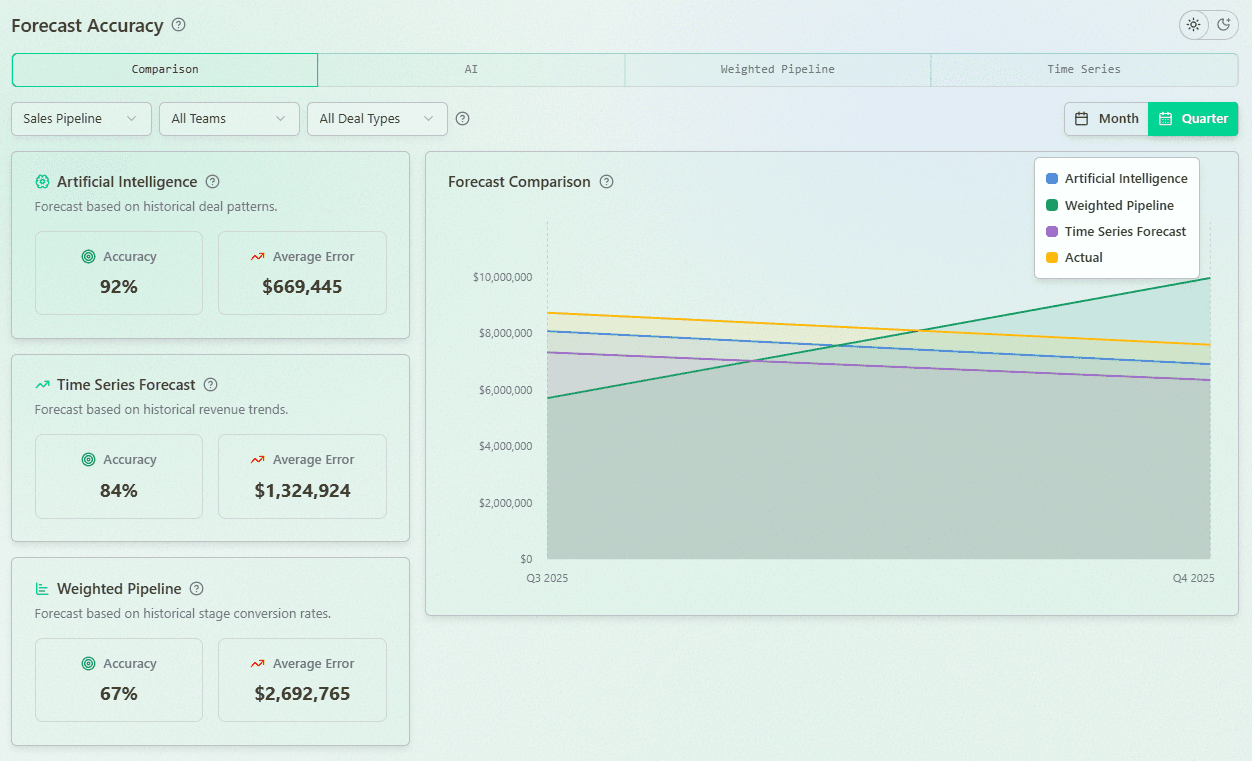
6. Can I measure and improve forecast accuracy over time?
Generating forecasts is only part of the process. The platform should also measure forecast accuracy by comparing predicted revenue with actual results, helping you identify where forecasts consistently overestimate or underestimate revenue.
7. Can I quickly understand why my forecast changed?
When the forecast changes, you should immediately know what caused it. Look for a platform with a comprehensive forecast audit trail that explains changes caused by slipped deals, lost opportunities, amount adjustments, probability changes, or new opportunities entering the pipeline.
8. Can I forecast different revenue streams separately?
New business, renewals, and expansion opportunities often behave very differently. The platform should allow you to build separate forecasts and apply different forecasting models for each revenue stream instead of combining everything into a single forecast.
9. How much of the forecasting process can be automated?
Modern sales forecasting software should do more than calculate numbers. Ask which tasks can be automated, such as generating forecast reviews, identifying at-risk deals, monitoring forecast accuracy, recommending next actions, or updating CRM data. Automation reduces manual work and helps sales teams spend more time selling.
10. How long does implementation take, and which CRM systems are supported?
Finally, ask how quickly the platform can be implemented, what CRM systems it integrates with, how frequently data is synchronized, and whether ongoing support is included. The faster your team can start using the software, the sooner you'll begin improving forecast accuracy and reducing manual effort.
How to Choose the Best Sales Forecasting Software for Your Business
Choosing the right sales forecasting software is not just about getting another dashboard. It is about finding a tool that helps you understand your pipeline, make better decisions, and predict revenue with confidence. The best sales forecasting tools today use automation, AI, and clean CRM data to help sales teams build accurate forecasts and react faster when something changes.
Below are the features that matter the most.
1. CRM Integration Excellence
Priority question: Does the tool integrate natively with your existing CRM and sales tech stack?
Look for seamless two-way data synchronization that requires minimal IT support. The best forecasting tools for HubSpot or Salesforce offer certified integrations that maintain data integrity across systems.
2. User-Friendly Interface
Priority question: Will your sales team actually use this tool daily?
Evaluate the sales forecasting dashboard for clarity and simplicity. The most effective tools provide intuitive visualization that helps teams instantly understand forecast status and required actions.
3. Multiple Forecasting Methodologies
Priority question: Does the tool support various forecasting approaches?
Effective forecasting software should offer multiple methods:
Pipeline-based forecasting: Weighted by stage or probability
Historical analysis: Time-series forecasting for trend identification
AI prediction: Machine learning for pattern recognition
Bottom-up vs. top-down approaches: Flexibility for different scenarios
4. AI and Machine Learning Capabilities
Priority question: How does the platform use AI to improve forecast accuracy?
Modern teams expect more than stage-based probabilities. Good sales forecasting software should offer AI sales forecasting and ML-driven predictions.
This helps the system:
estimate the probability of closing each deal
predict the most likely close month
detect patterns you can’t see manually
improve accuracy over time
If you want the best sales forecasting software, AI and ML should be non-negotiable.
5. Real-Time Analytics
Priority question: How quickly does the forecast update when deal data changes?
The best forecasting software provides instant updates and alerts when significant forecast shifts occur, enabling proactive sales pipeline management.
6. Forecast Accuracy Tracking
Priority question: can you measure how accurate your sales forecasts are?
You can’t improve what you don’t measure.
Your sales forecasting software should show:
how accurate your forecasts were in past weeks/months
which reps or segments are over-forecasting
where the biggest gaps or risks are
Accuracy history helps teams understand whether they can trust the numbers and where the forecasting process needs work.
7. Audit Trail for Forecast Changes
Priority question: Can you explain why your forecast changed in a few seconds?
This is one of the most important questions for any sales team. If your forecast changes and you can’t explain why in a few seconds, your forecasting process is not under control. Good sales forecasting software should make it instantly clear:
Who updated the numbers
What fields or deals changed
When the change happened
How those edits affected the final forecast
Which deals increased, decreased, slipped, or were removed
When this information is transparent and easy to access, you can walk into any meeting - with your CEO, CFO, or board - and confidently explain what caused the shift.
If you need 15 minutes, 5 reports, or several Slack messages to figure it out, your current sales forecasting tools are not working for you.
8. What-If Scenario Planning
Priority question: Can you easilty stress-test your forcasts and assess possbile future outcomes?
Good sales forecasting software doesn’t just show what is happening. It helps you test what could happen.
With what-if scenarios, you can model:
best-case and worst-case outcomes
changes in quota
headcount changes
pipeline growth or pipeline slowdown
new pricing or product changes
This type of scenario planning helps leaders prepare for different outcomes instead of reacting too late.
9. Support and Training Resources
Priority question: What implementation and ongoing support is provided?
Evaluate the vendor's onboarding process, customer support quality, and available training resources to ensure successful adoption.
By systematically assessing forecasting tools against these criteria, you'll identify the solution that best matches your organizational needs and provides the clearest path to improved forecast accuracy.
Implementing Sales Forecasting Software: 7-Step Success Plan
Deploying new forecasting software requires careful planning to maximize adoption and ROI. Follow this proven implementation framework to ensure success:
1. Conduct a Comprehensive Needs Assessment
Document current forecasting pain points and accuracy challenges
Survey key stakeholders (sales leaders, reps, operations, finance) about requirements
Analyze historical forecasts to identify recurring accuracy issues
2. Select the Right Forecasting Solution
Prioritize requirements based on your assessment findings
Request targeted demos showing your specific use cases
Check customer references in your industry or business size
3. Prepare Your Data Foundation
Audit CRM data quality and resolve incomplete records
Standardize sales process stages and opportunity definitions
Document sales methodology to align with forecasting approach
4. Develop a Phased Implementation Plan
Start with a pilot team of enthusiastic early adopters
Create a detailed timeline with clear milestones and responsibilities
Establish success metrics for measuring implementation effectiveness
5. Integrate with Your Tech Ecosystem
Configure CRM integration for seamless data flow
Test data synchronization thoroughly before full deployment
Document integration points for future reference
6. Monitor Performance and Gather Feedback
Track forecast accuracy improvements comparing pre/post implementation
Solicit user feedback on interface usability and feature gaps
Document time savings from automated processes
7. Continuously Optimize Your Approach
Refine forecasting models based on accuracy data
Expand user adoption through internal success stories
Schedule regular reviews of forecasting methodology
Pro Tip: The most successful implementations focus on demonstrating early wins. Choose one key forecasting pain point to solve first, document the improvement, and use that success to drive broader adoption.
To understand how AI note-takers can improve your forecasting, see our Fathom vs. Fireflies comparison.
5 Common Mistakes When Choosing Sales Forecasting Software
Choosing the right sales forecasting software can drastically improve visibility, pipeline predictability, and revenue planning. But many teams still end up with tools that don't solve their real forecasting challenges. Here are the most common mistakes companies make when evaluating and purchasing sales forecasting software - and how to avoid them.
Focusing on dashboards instead of forecasting logic
A lot of sales forecasting software looks impressive in demos, but behind the scenes it's still just a weighted pipeline or spreadsheet replacement. If the underlying forecasting logic is weak, the results will stay inaccurate no matter how nice the charts look. The software must be built on real forecasting models, not just reporting templates.
Assuming every team can use the same solution
Some tools are built for high-velocity transactional sales teams; others are better for long enterprise cycles. A common mistake is choosing sales forecasting software that doesn't match your sales motion, data structure, or CRM workflow. The result: low adoption, poor accuracy, and frustrated sales leaders.
Ignoring CRM integration and data quality
Forecast accuracy is only as good as the data behind it. Many teams buy sales forecasting software without realizing how dependent it is on clean CRM data. If the software requires manual exports or doesn't properly sync with HubSpot, Salesforce, or other CRMs, forecasting becomes a spreadsheet exercise again - defeating the purpose.
No audit trail or ability to explain forecast changes
One of the most overlooked features in sales forecasting software is the ability to explain why a forecast changed. If revenue suddenly drops by $200K, leaders should not need to manually inspect every deal. Software without a forecast audit log leaves RevOps and sales managers guessing instead of acting.
No accuracy tracking or model comparison
Many platforms can generate a forecast - but cannot measure if their forecast was accurate. If a tool doesn't track forecasting accuracy over time, compare different forecast models, or show how projections improve, teams are forced to manage accuracy manually. Any serious sales forecasting software must include accuracy dashboards, trend analysis, and method comparison.
Quick Summary
When evaluating sales forecasting software, avoid tools that are just visual dashboards, don't integrate well with your CRM, lack audit trails, or don't measure accuracy. The best forecasting platforms go beyond reporting - they explain pipeline changes, track accuracy, and help leaders trust their forecast.
The Future of Sales Forecasting Software in 2026
In 2026, sales forecasting software is moving far beyond static projections and spreadsheets. Modern platforms are becoming intelligent assistants that continuously analyze pipeline changes, deal activity, historical trends, rep behavior, and market signals in real time. 88% of sales teams claim AI adoption, but only 24% have embedded it into actual revenue workflows, according to Momentum.io's 2026 Voice of the Market Report.
One of the biggest trends is the growing connection between AI Agents and RevOps. Revenue Operations teams increasingly use AI-powered agents to monitor pipeline health, detect forecasting risks, identify stalled deals, review forecast accuracy, and recommend actions automatically. These capabilities are increasingly becoming part of broader AI solutions for automating revenue operations, which combine forecasting, revenue intelligence, workflow automation, and AI-powered decision support.Instead of manually analyzing CRM data, RevOps teams can rely on AI agents to surface insights and help teams make faster decisions.
The biggest shift overall is the transition from simple forecasting dashboards to AI-powered revenue decision systems. Instead of only predicting revenue, modern forecasting software can now identify risky deals, explain why forecasts change, detect pipeline issues early, and recommend actions to improve forecast accuracy.
AI forecasting tools are also becoming more proactive and operational. Revenue leaders increasingly expect features like what-if scenarios, forecast audit trails, AI-generated recommendations, and autonomous AI agents that continuously monitor sales performance and pipeline quality in the background.
Another major trend is the growing importance of forecasting transparency. Companies no longer want just a number. They want to understand how the forecast was built, what changed, what assumptions were made, and where the biggest risks exist.
As AI models improve and CRM data quality increases, sales forecasting software will become a central operating system for revenue teams, helping sales leaders and RevOps professionals make faster, more confident, and more data-driven decisions.
FAQs: Sales Forecasting Software Essentials
What is sales forecasting software?
Sales forecasting software helps businesses predict future revenue by analyzing historical data, pipeline information, and market trends. These specialized tools use AI algorithms and statistical models to provide accurate sales predictions that guide strategic decision-making, resource allocation, and growth planning.
How does sales forecasting software work?
Sales forecasting tools collect data from your CRM, sales pipeline, and other business systems. They then apply various forecasting methodologies—including AI forecasting, time-series analysis, and probability modeling—to identify patterns and predict future outcomes with greater accuracy than manual methods can achieve.
What are the benefits of using sales forecasting software?
Implementing dedicated forecasting software delivers multiple advantages:
Improved Accuracy: Reduces forecast variance by 25-40% on average
Time Savings: Eliminates hours of manual spreadsheet maintenance
Better Decision-Making: Provides data-driven insights for resource allocation
Risk Reduction: Identifies potential shortfalls before they impact results
Increased Accountability: Creates transparency across sales organization
Top-performing B2B teams reach 95%+ quarterly forecast accuracy, while most land within 8–15% of actuals (Eagle Rock CFO 2026 benchmarking research, via Clari).
What features should I look for in sales forecasting tools?
Essential capabilities for effective forecasting include:
CRM Integration: Seamless connection with your existing systems
Multiple Forecasting Methods: Support for different prediction approaches
AI-Powered Analytics: Machine learning to improve accuracy over time
Real-Time Updates: Instant recalculation as pipeline changes occur
Intuitive Dashboards: Visual displays for at-a-glance understanding
Collaboration Tools: Shared insights across revenue teams
How do I choose the best forecasting software for my business?
Select forecasting software based on your specific business needs:
For small businesses: Look for affordable solutions with simple implementation
For mid-market companies: Prioritize forecasting tools with strong CRM integration
For enterprises: Seek platforms with advanced analytics and multi-territory capabilities
For HubSpot users: Choose forecasting software with certified HubSpot integration
For Salesforce users: Select tools with native Salesforce connectivity
Can sales forecasting software integrate with my current CRM?
Most leading sales forecasting solutions offer pre-built integrations with popular CRM platforms like HubSpot, Salesforce, and Pipedrive. These native connections allow for real-time data synchronization, eliminating manual updates and ensuring forecast accuracy.
What is the best tool for forecasting sales?
The ideal forecasting tool depends on your business requirements and CRM platform:
For HubSpot users: Forecastio offers the most seamless integration and functionality
For Salesforce users: Clari and InsightSquared provide robust enterprise capabilities
For data-driven organizations: Aviso AI delivers sophisticated forecasting models
For visual pipeline management: Pipedrive combines simplicity with effective forecasting
What is the difference between CRM forecasting and dedicated forecasting software?
CRM forecasting relies on basic weighted pipeline calculations with manually set probabilities, while dedicated forecasting software employs AI, multiple forecasting methods, and advanced analytics to deliver significantly higher accuracy and deeper pipeline insights. Modern platforms often combine several sales forecasting methods together, depending on the sales cycle, pipeline complexity, and available historical data.
Transform Your Revenue Forecasting with the Right Tools
Accurate sales forecasting is no longer optional for growth-focused businesses. By implementing the right forecasting software, your organization can:
Predict revenue with confidence using AI-powered forecasting algorithms
Make data-driven decisions based on reliable pipeline analytics
Align sales and finance teams around trusted forecast numbers
Identify risks and opportunities before they impact results
Drive consistent revenue growth through improved planning
This guide has explored the top sales forecasting solutions for 2025, from specialized tools like Forecastio to enterprise platforms like Clari and Salesforce. The right choice depends on your specific business needs, existing technology ecosystem, and growth objectives.
Remember that implementation success requires more than selecting the right tool—it demands clean data, clear processes, and team-wide adoption. By following the guidance in this article, you'll be well-positioned to select and implement revenue forecasting software that transforms your sales planning capabilities.
Ready to Improve Your Forecast Accuracy?
Experience the power of modern sales forecasting with Forecastio, designed specifically to enhance HubSpot's native capabilities with advanced AI and multi-method forecasting.
In today's data-driven business environment, accurate sales forecasting isn't just helpful - it's essential for strategic decision-making. Only 45% of sales leaders and sellers have high confidence in their organization's forecasting accuracy (Gartner). Modern sales forecasting software transforms how businesses predict future revenue by combining sophisticated AI algorithms with your CRM data to deliver unprecedented accuracy.
What You'll Learn in This Guide
Why traditional forecasting methods fall short for growing businesses
Key features to consider when selecting revenue forecasting tools
In-depth reviews of the top 19 sales forecasting solutions for various business cases
How AI forecasting tools are revolutionizing revenue predictions
Step-by-step implementation guidance for maximum ROI
Whether you're using HubSpot, Salesforce, or another CRM, this comprehensive guide will help you identify the best forecasting software to transform your sales planning process and hit your revenue targets consistently.
What Is the Best Sales Forecasting Software?
The best sales forecasting software combines your CRM's pipeline data with AI models trained on historical deal outcomes to predict revenue more accurately than spreadsheets or rep intuition. For most B2B teams, tools like Forecastio, Clari, and Aviso lead the category. The right choice depends on team size, deal complexity, and how deeply it needs to integrate with your CRM.
How Much Can Sales Forecasting Software Improve Accuracy?
Sales forecasting software can meaningfully improve accuracy, but the gains depend on how much historical deal data you have to train the model on. Across 25+ mid-sized and large B2B software companies we've analyzed, teams with 500+ historical won and lost deals saw forecast accuracy improve 15–20% after adopting AI-driven forecasting software, compared to manual methods.
Best Sales Forecasting Software by Use Case
Choosing the right sales forecasting software depends heavily on your CRM, sales model, and forecasting complexity. Here are some of the best tools by use case:
Best for HubSpot users: Forecastio
Best for enterprise revenue operations: Clari
Best for Salesforce workflow automation: Weflow
Best for conversational intelligence and forecasting: Gong
Best for enterprise scenario planning: Pigment
Some platforms focus mainly on reporting and dashboards, while others provide AI forecasting, audit trail, scenario planning, and advanced revenue intelligence capabilities.
The most advanced revenue intelligence platforms combine sales forecasting with pipeline intelligence, deal intelligence, conversation intelligence, AI agents, and workflow automation, giving revenue teams a much broader operational view than forecasting software alone
Why CRM and Spreadsheets Aren't Enough for Revenue Forecasting
While many sales teams begin their forecasting journey with basic CRM tools and spreadsheets, these methods quickly show their limitations as organizations scale. Here's why dedicated sales forecasting software has become essential:
The Hidden Costs of Basic Forecasting Methods
Manual Errors: Spreadsheet-based forecasting is prone to formula mistakes, version control issues, and human error, resulting in costly miscalculations
Static Data: Traditional CRM forecasting tools rely on fixed probability percentages that don't adapt to changing market conditions
Limited Visibility: Without advanced analytics, sales leaders lack real-time pipeline insights needed for strategic decisions
Time Waste: In Forecastio's analysis of 100+ B2B sales organizations (teams of 5+ reps, hundreds of open pipeline deals), sales teams spend an average of 4–5 hours weekly maintaining manual forecasts.
How AI Forecasting Tools Transform Revenue Predictions
AI-driven sales forecasting software is reshaping how revenue teams plan, track, and adjust their forecasts. Instead of relying on static reports or manual assumptions, modern forecasting platforms continuously analyze deal activity and historical outcomes to reflect real market conditions.
Flexible Forecasting Models: Advanced sales forecasting software applies multiple forecasting approaches at once, selecting the most relevant logic based on pipeline structure, sales cycle length, and data availability. Platforms like Forecastio combine historical performance, pipeline dynamics, and AI-based probability scoring to improve forecast reliability.
Live Forecast Visibility: Forecasts evolve automatically as deals progress. Sales leaders can instantly see how changes in close dates, deal values, or pipeline movement impact expected revenue, without waiting for manual updates.
AI-Driven Deal Insights: Modern sales forecasting tools detect risk signals early by identifying stalled deals, slipping close dates, and unusual stage behavior. This helps teams prioritize the right opportunities and take action before revenue is at risk.
CRM-Driven Automation: By syncing directly with CRM systems, sales forecasting software removes manual data handling and keeps forecasts accurate, consistent, and always up to date.
For growing companies, adopting dedicated sales forecasting software like Forecastio is no longer optional. It has become a critical advantage for improving forecast accuracy, optimizing resource allocation, and building predictable revenue growth.
How Modern AI Sales Forecasting Actually Works
Modern AI sales forecasting software does much more than apply static probabilities to pipeline stages.
AI forecasting models continuously analyze historical CRM data, sales activity, pipeline movements, and deal behavior patterns to estimate both the likelihood of closing a deal and the most probable close date.
Depending on the platform, AI forecasting may analyze:
historical won/lost deals
time spent in each pipeline stage
deal slippage patterns
sales rep historical performance
email and meeting activity
deal amount changes
seasonality and revenue trends
Unlike traditional weighted pipeline forecasting, AI forecasting models can recalibrate probabilities automatically as new data appears in the CRM.
This helps sales and RevOps teams reduce subjectivity, detect risks earlier, and improve forecast accuracy over time.
5 Signs You Need Sales Forecasting Software Now
Many revenue teams delay adopting dedicated forecasting tools until missed targets and pipeline confusion become chronic problems. Don't wait for a forecasting crisis—here are the clear indicators it's time to upgrade your forecasting capabilities:
1. Your Sales Team Exceeds 5 Reps
Managing forecasts manually works for very small teams, but forecast accuracy drops sharply once you have 5+ sales reps without proper sales forecasting tools to coordinate predictions.
2. You Manage 100+ Open Deals
When your pipeline grows beyond 100 active opportunities, manual tracking becomes impossible. Sales forecasting software automatically monitors changes across hundreds of deals, dramatically improving sales pipeline visibility.
3. Forecast Variance Exceeds 15-20%
Research found that 79 percent of sales organizations miss their sales forecast by more than 10 percent. If your actual results consistently miss forecasts by wide margins, you need AI sales forecasting based on real-time data to improve prediction accuracy.
4. You're Forecasting Across Multiple Segments
Basic CRM forecasting can't handle the complexity of multi-region or multi-product forecasting. Advanced forecasting solutions provide the segmented views needed for nuanced analysis.
5. You Spend 3+ Hours Weekly on Manual Updates
When forecast maintenance consumes more than 3 hours weekly, specialized forecasting tools deliver significant ROI through time savings alone.
If two or more of these warning signs apply to your organization, it's time to implement revenue forecasting software before missed forecasts impact business planning.
Top Sales Forecasting Software by Use Case
Tool | Best For | Company Size | Starting Price |
|---|---|---|---|
Forecastio | Sales teams that need fast implementation, maximum forecasting flexibility, and multiple forecasting models for different sales motions | 5+ reps | $249/mo |
Aviso | Organizations looking for advanced AI forecasting and deal intelligence | 50+ reps | Custom |
Gong | Revenue teams that rely heavily on conversation intelligence and forecasting | 50+ reps | Custom |
Clari | Enterprise revenue operations teams with complex forecasting processes | 100+ reps | Custom |
Pigment | Large organizations requiring forecasting, planning, and scenario modeling across departments | 100+ reps | Custom |
How We Evaluated These Tools
Choosing tools for this list wasn't about picking the biggest names or the ones with the most marketing budget. We built this guide around the criteria that actually determine whether a forecasting tool works for a real revenue team and we're transparent about how each tool was assessed.
Our Evaluation Criteria
Every tool on this list was assessed against the same core factors:
Forecasting methodology. Does it rely on static probabilities, or does it use AI, time-series analysis, and historical performance data?
CRM integration depth. Native, certified integrations vs. basic or manual data sync.
Accuracy tracking. Can teams measure forecasted vs. actual results over time?
Audit trail and transparency. Can users see why a forecast changed?
Pricing transparency. Publicly listed pricing vs. "contact sales" only.
Team size and use case fit. Which sales motions and company sizes each tool is actually built for.
How We Researched Each Tool
As the team behind Forecastio, we have direct, hands-on experience with Forecastio's own forecasting engine, integrations, and customer use cases — that section reflects our own product knowledge. For the other tools on this list, our research is based on publicly available information: vendor documentation, pricing pages, product demos, G2 and Capterra reviews, and direct comparisons published by the vendors themselves. We link out to primary sources (official pricing pages, feature docs) throughout the article so you can verify current details yourself.
Keeping This Guide Current
Software pricing and features change frequently. We recommend verifying current pricing directly with each vendor before making a purchasing decision. This guide was last substantively reviewed on Aug 16, 2026. See the "Last updated" note at the top of this article.
Best Sales Forecasting Software for 2026: In-Depth Reviews
AI Forecasting & Revenue Intelligence Platforms
1. Forecastio
Overview
Forecastio is a sales forecasting and revenue intelligence platform for B2B revenue teams, offering a strong alternative to Clari with faster implementation and more affordable role-based pricing.
Best For
Best for: B2B sales and RevOps teams that want reliable forecasting, stronger pipeline and deal visibility, and AI-powered revenue intelligence without replacing their CRM.
Key Features
Multiple forecasting methods, including AI/ML, weighted pipeline, time series, and rep/manager forecast submissions
Collaborative forecast submissions and roll-ups with forecast categories, deal-level adjustments, comments, and historical comparisons
Forecast accuracy tracking by method, team, rep, and forecast horizon, plus a detailed audit trail showing exactly what changed between forecast reviews
Pipeline and deal intelligence that identifies stalled deals, slippage risks, engagement gaps, pipeline leakage, and other revenue risks
AI agents for forecast reviews, deal reviews, win/loss analysis, and forecast accuracy analysis, with recommendations and automated actions
What-if scenarios for testing changes to deal probabilities, amounts, stages, and other forecast assumptions
Pros
Combines forecasting, pipeline intelligence, deal intelligence, and AI-powered revenue analysis in one platform
Multiple forecasting methods reduce reliance on rep commits or static CRM stage probabilities
Comprehensive forecast audit trail makes forecast changes transparent and easy to investigate
Faster implementation and more affordable role-based pricing than larger enterprise revenue platforms
Cons / Limitations
Smaller and newer platform than established category leaders such as Clari and Gong
AI forecasting requires sufficient historical CRM data to deliver reliable predictions
Some enterprise capabilities and integrations are still expanding
Pricing
Forecastio's Sales Forecasting plan starts at $249/month and includes one admin seat, with additional seats at $49/month. The Forecasting & Revenue Intelligence plan starts at $369/month and includes one admin seat, with additional seats at $69/month. Plans are billed annually, with a 30-day trial available.
2. Clari
Overview
Clari is an enterprise revenue operations platform that unifies AI-driven forecasting, pipeline inspection, and deal execution signals from CRM data, built for CROs and RevOps teams at mid-market and enterprise B2B companies.
Best For
Best for: Enterprise sales organizations (50+ reps) with a dedicated RevOps function that need board-level forecast accuracy.
Key Features
AI Revenue Agents and "Capture" module for automated data-quality/activity capture
"Inspect" opportunity management with pipeline-risk scoring
"Forecast" module for roll-up forecasting across regions/territories
Post-2025-merger "Groove" (Salesloft's engagement tool) and "Copilot" conversation intelligence now part of the combined suite
Pros
Mature enterprise forecasting with strong regional, team, and management roll-ups
Comprehensive pipeline inspection and forecast management capabilities
Well suited to large, complex sales organizations with established RevOps teams
Broad revenue platform that extends beyond forecasting into deal execution and conversation intelligence
Cons / Limitations
Steeper learning curve than lighter forecasting platforms
Implementation can require significant time and RevOps resources
High contract values can make it expensive for smaller sales organizations
No transparent public pricing and longer-term contracts are common
Pricing
Quote-only, no public pricing page. Aggregated buyer reports (Tomba.io, Outdoo.ai) place per-seat costs around $1,000-$1,500/user/year, with typical annual contracts of $24,000-$120,000+ depending on modules; full-stack deployments combining Core, Copilot Enterprise, and Groove reported at $200-$400/user/month by one analysis. These are third-party estimates, not vendor-confirmed figures.
3. Gong
Overview
Gong is a revenue intelligence platform built around AI-driven conversation analytics, deal-health scoring, and forecasting, built for mid-market and enterprise B2B sales teams whose reps run recorded sales calls.
Best For
Best for: Sales orgs with 30+ reps and average deal sizes above roughly $85,000 where call coaching and AI-driven forecasting justify a premium platform fee.
Key Features
AI Revenue Predictor and Forecast module that draws on 300+ conversation and engagement signals, not just rep-submitted commit numbers to project deal outcomes, which Gong claims is roughly 20% more precise than CRM-only forecasting models
Deal Likelihood Score using 300+ data points (engagement signals, communication cadence, competitor mentions, stakeholder involvement) to predict close probability and flag risk indicators like "buyer gone silent" or "single-threaded deal"
Roll-up forecasting and deal boards inside the Forecast module, giving managers real-time pipeline-change visibility instead of waiting for a weekly forecast call
Speech-recognition transcription with speaker separation, reported at 85-90% accuracy across accents, feeding the trackers that surface objections and competitor mentions
Pros
Best-in-class conversation intelligence and sales call analysis
Uses extensive conversation and engagement signals to assess deal health and forecast risk
Strong deal intelligence for identifying buyer disengagement, single-threading, and other revenue risks
Combines conversation data, pipeline visibility, and forecasting within a broad revenue intelligence platform
Cons / Limitations
Forecasting is a separately licensed module rather than a core capability included by default
Forecasting is less established than Gong's conversation intelligence capabilities
Broad feature set can make the platform complex for teams that need only forecasting
Premium pricing, additional platform fees, and no transparent public pricing
Pricing
Quote-only, no public pricing. Third-party analyses report roughly $1,400-$3,000/user/year depending on modules, with combined Foundation+Forecast reported around $158-$183/user/month, these figures come from aggregated buyer/procurement data, not Gong's own site.
4. Aviso
Overview
Aviso is an AI-powered revenue operating system combining forecasting, pipeline inspection, conversation intelligence, and sales engagement in one platform, built for enterprise B2B sales and RevOps teams wanting to consolidate their tech stack.
Best For
Best for: Enterprise sales orgs (100+ reps) with a strong RevOps function that want AI forecasting sophistication beyond Clari's out-of-the-box offering.
Key Features
AI forecasting models that independently score deals rather than only aggregating rep-submitted commits, with pipeline scored across five dimensions to guide manager intervention
"MIKI" generative-AI assistant for deal guidance and forecast-relevant next-best-actions
Forecasting, pipeline inspection, and conversation intelligence bundled into the core platform rather than sold as separate modules
Customer-success intelligence layered onto the same platform, extending forecast visibility beyond new-business pipeline
Pros
Sophisticated AI forecasting that independently evaluates deal and pipeline signals
Combines forecasting, pipeline inspection, conversation intelligence, and sales engagement
Strong deal scoring and AI-driven recommendations for manager intervention
Suitable for large enterprises looking to consolidate multiple revenue intelligence tools
Cons / Limitations
More complex implementation than lighter forecasting platforms
Requires significant training to take advantage of the full feature set
High subscription costs can make it unsuitable for smaller organizations
HubSpot integration is less mature than its Salesforce integration
Pricing
Quote-only; Aviso does not publish pricing. Aggregated buyer reports place reported figures around $40-$100/user/month on annual contracts, though Aviso has not confirmed these publicly — treat as an estimate.
5. Kluster
Overview
Kluster (also styled Kluster.com) is an AI-native revenue forecasting and reporting platform that turns CRM data into pipeline dashboards and board-ready forecasts, built for mid-market SaaS RevOps teams and enterprise revenue leaders.
Best For
Best for: Mid-market SaaS sales orgs (roughly 50-200 reps) wanting Clari-comparable forecast output at a lower price and faster deployment.
Key Features
AI-generated forecast figure combined with a drag-and-drop manual forecasting interface, letting managers adjust AI output against their own read of the pipeline
Revenue dashboards visualizing pipeline health, forecast trends, and team performance without building custom Salesforce reports
"Vision" funnel visualization and a community "Newsfeed" feature for sharing forecasting/RevOps practices
Board-ready reporting layer built specifically to shorten board-deck prep time
Pros
Combines AI-generated forecasts with flexible manual forecasting
Strong pipeline dashboards and board-ready revenue reporting
Faster and lighter implementation than many enterprise forecasting platforms
Particularly well suited to mid-market SaaS RevOps teams
Cons / Limitations
Data synchronization issues can require users to verify numbers against Salesforce
AI forecast methodology can be difficult for users to understand and trust
Some dashboards offer limited flexibility for deeper customization
Limited native support for external intent and buying signals
Pricing
No public pricing (G2's pricing page confirms the vendor has not disclosed rates). One third-party source cites a Vendr-reported median contract value of $39,500/year, but this is a reported aggregate, not a published rate card.
6. InsightSquared
Overview
InsightSquared is a revenue intelligence and analytics platform (part of Mediafly's Revenue360 suite) offering AI-powered forecasting and pipeline dashboards, built for RevOps teams on Salesforce or HubSpot that want deeper analytics than native CRM reporting.
Best For
Best for: RevOps teams needing AI-assisted forecasting and pipeline-health dashboards layered on top of Salesforce or HubSpot.
Key Features
AI-driven forecasting that compares current pipeline against historical booking averages to flag whether the current quarter is tracking ahead or behind
Financial forecasting and forecasted-bookings comparisons built directly into the reporting layer
RevOps dashboards consolidating sales, marketing, and customer-success metrics into one forecast-relevant view
Ad hoc reporting, automated scheduled reporting, and predictive/profit/trend analysis
Pros
Deep revenue analytics beyond standard CRM reporting
AI-assisted forecasting based on current pipeline and historical performance
Strong pipeline-health and performance dashboards
Supports both Salesforce and HubSpot environments
Cons / Limitations
Some CRM changes may not automatically propagate into forecasts, requiring additional data management
Broad analytics functionality creates a learning curve for new users
Primarily designed around Salesforce and HubSpot rather than CRM-agnostic forecasting
No transparent public pricing
Pricing
No public pricing located; multiple listings direct buyers to request a custom quote. One source's relative pricing score (2.6/10, where 10 is most expensive) suggests it is priced below premium enterprise tools, but no dollar figure could be confirmed.
Salesforce-Native Add-Ons
7. Weflow
Overview
Weflow is a Salesforce-native revenue AI platform that combines pipeline management, deal inspection, and collaborative forecasting, built for RevOps leaders and B2B revenue teams running on Salesforce.
Best For
Best for: Salesforce-based RevOps teams and revenue leaders who want lightweight pipeline/forecast collaboration without leaving Salesforce.
Key Features
Collaborative forecast submission with waterfall views and quarterly predictions, synced automatically back to Salesforce
Forecast-accuracy tracking per rep, flagging chronic over- or under-estimators ("sandbaggers and optimists") so managers know whose commit to trust
Real-time deal signals and risk alerts that flag stalled or at-risk deals before they slip out of the forecast
Automations for Slack/inbox alerts on deals that haven't been updated ahead of a forecast call
Pros
Strong Salesforce-native workflow and automatic CRM synchronization
Collaborative forecast submissions and waterfall views
Forecast accuracy tracking helps identify consistently optimistic or conservative reps
Easier and more affordable to deploy than many enterprise forecasting platforms
Cons / Limitations
Designed specifically around Salesforce
Fewer enterprise forecasting capabilities than platforms such as Clari
Does not provide the same depth of independent AI forecasting as dedicated forecasting platforms
Smaller customer and public review base than established category leaders
Pricing
Public starting price is cited inconsistently across sources — SourceForge and Zapier list $39/user/month, while G2's own pricing page lists entry-level at $20/user/month. Confirm current tiers directly with Weflow before publishing.
8. Revenue Grid
Overview
Revenue Grid is a Salesforce-native revenue intelligence and guided-selling platform that automates activity capture and surfaces deal-progression risk to support forecasting, built for Salesforce-using sales teams wanting AI-guided next-best-actions.
Best For
Best for: Salesforce-native sales teams wanting automated activity capture, guided-selling prompts, and AI-assisted forecasting without heavy manual CRM logging.
Key Features
Forecasting and guided-selling module (gated to the Ultimate tier) that combines AI-driven deal guidance with pipeline roll-ups
Automated Outlook/Gmail activity capture into Salesforce, which reduces the stale-data problem that undermines forecast accuracy at other Salesforce-native tools
AI-driven guided-selling signals and pipeline-risk surfacing to explain why a forecast number is moving
Salesforce-native workflow support spanning pipeline visibility through forecasting
Pros
Combines forecasting with automated Salesforce activity capture
Strong guided-selling capabilities and AI-driven next-best actions
Automatically captures email and calendar activity, improving the quality of forecast inputs
Strong fit for Salesforce teams that want forecasting and sales execution guidance together
Cons / Limitations
Forecasting and guided selling require higher-priced plans
Steeper learning curve than lightweight Salesforce add-ons
Setup and customization can require substantial time and vendor support
Less attractive for teams primarily interested in forecasting rather than the broader guided-selling
Pricing
Publicly listed on G2: entry-level at $30/seat/month, with the tier unlocking forecasting/guided-selling reported around $149/seat/month. Confirm exact current tiers directly, as gated-feature complaints suggest the entry price doesn't reflect what most forecasting-focused buyers will actually pay.
Full CRM Platforms
9. Salesforce
Overview
Salesforce Sales Cloud (rebranded Agentforce Sales) is an enterprise CRM offering customizable pipeline management, forecasting, automation, and an AI agent layer, built for mid-market and enterprise sales organizations with dedicated administration resources.
Best For
Best for: Mid-market to enterprise sales organizations that need deep customization, multi-currency/territory forecasting, and a large third-party app ecosystem.
Pros
Highly customizable forecasting for complex sales organizations
Supports territory, hierarchy, multi-currency, and enterprise forecasting requirements
Deep workflow automation and extensive integration capabilities
Massive AppExchange ecosystem for extending native forecasting functionality
Cons / Limitations
Requires significant configuration and ongoing administration
Advanced forecasting and AI capabilities can substantially increase total licensing costs
Complexity can make implementation slower than with purpose-built forecasting tools
Forecasting depth often depends on edition, configuration, and additional products
Cons / Limitations
G2 reviewers note licensing fees and advanced-AI add-on costs make ROI harder to justify early in an implementation, particularly once forecasting depth requires Enterprise/Unlimited tiers
A recurring complaint: "incredibly powerful but requires constant administration... we spend more on consultants than on the license itself"
Agentforce AI pricing has changed three times since 2024 (per-conversation, then Flex Credits, then tier-bundled), which reviewers say makes budgeting difficult
Performance can degrade as org complexity grows without careful pre-planning
Pricing
Publicly listed on G2's pricing page: Starter Edition $25/user/month (10-user cap, no forecasting); Professional $100/user/month (unlocks forecasting); Enterprise $165/user/month; Unlimited $330/user/month; Agentforce 1 Sales bundle reported at $550/user/month. Confirm current tiers directly, as Salesforce pricing changes frequently and AI add-ons are billed separately in some configurations.
10. HubSpot
Overview
HubSpot is a CRM and sales-engagement platform offering pipeline management, sequences, meeting scheduling, and forecasting, built for small-to-mid-size B2B sales teams already using or considering the broader HubSpot ecosystem.
Best For
Best for: Small-to-mid-size B2B teams (roughly 10-100 reps) that want an integrated CRM/marketing/sales stack with transparent published pricing.
Key Features
Deal-based forecast reporting tied to the visual, customizable pipeline, so forecast figures roll up directly from pipeline stage and probability
Free-forever CRM tier with paid Sales Hub tiers layered on top
Breeze AI Prospecting Agent for research-assisted outreach
Native sequences and meeting scheduler built into the CRM
Pros
Forecasting is tightly integrated with CRM, pipeline management, and sales activity data
Easier to implement and administer than many enterprise CRMs
Strong choice for teams already operating their sales and marketing processes in HubSpot
Transparent pricing and a broad ecosystem of native sales and marketing tools
Cons / Limitations
Native forecasting is less sophisticated than dedicated forecasting platforms
Limited forecast analytics and scenario modeling for complex revenue organizations
Significant price increase between entry-level and Professional/Enterprise tiers
Costs can increase considerably as additional seats, contacts, and advanced capabilities are added
Pricing
Publicly listed: Free CRM tier; paid Sales Hub plans starting around $20/seat/month (Starter) scaling to roughly $100-$150/seat/month (Professional/Enterprise). Confirm exact current tiers on HubSpot's pricing page, as add-on credits and contact-tier auto-upgrades affect total cost.
11. Pipedrive
Overview
Pipedrive is a sales-first CRM built around a visual, drag-and-drop pipeline with lead management, activity tracking, and forecast reporting, built for small-to-mid-size B2B sales teams (roughly 2-30 reps) prioritizing fast setup over deep customization.
Best For
Best for: Small B2B sales teams running a defined, transactional sales motion that want fast time-to-value without Salesforce-level configuration.
Key Features
Subscription and forecast reports added at the Growth tier, projecting revenue and recurring-revenue timing directly from pipeline data
Live revenue forecasting tied to the visual pipeline, with "deal rotting" cues that flag stalling deals before they distort the forecast
AI-generated reports and an AI Sales Assistant available from the Growth tier up
500+ marketplace integrations plus an open REST API
Pros
Very intuitive visual pipeline and straightforward forecasting experience
Fast implementation with minimal administration required
Affordable compared with larger CRM and forecasting platforms
Strong fit for smaller teams with relatively simple and predictable sales processes
Cons / Limitations
Forecasting is unavailable on the entry-level plan
Reporting and forecasting lack the depth required for complex enterprise sales organizations
Limited multidimensional and advanced forecasting capabilities
Add-ons can significantly increase the total cost beyond the advertised seat price
Pricing
Publicly listed. Reported as starting around $14/user/month (Lite, billed annually) up to $79/user/month (Ultimate); G2's own pricing page lists entry at $24/user/month for Lite on monthly billing. Confirm current tiers on Pipedrive's site — annual vs. monthly billing changes the headline price.
12. EngageBay
Overview
EngageBay is an all-in-one CRM and marketing-automation platform bundling sales, marketing, helpdesk, and live chat with built-in deal forecasting, built for small and mid-sized businesses that want HubSpot-like functionality at a lower price point.
Best For
Best for: Small B2B service businesses, agencies, and startups that want marketing, sales, support, and basic revenue forecasting in one budget-friendly platform.
Key Features
Deal forecasting based on the expected closure date of each opportunity, giving a revenue projection over a selected time period directly from the sales dashboard
AI-assisted deal-trajectory forecasting layered onto the visual pipeline, alongside customizable reports covering total sales revenue, average deal size, and sales growth over time
Free-forever plan covering basic CRM and email tools for up to 250 contacts and up to 15 users
Bundled helpdesk and live chat included even on the free tier — tools many competitors sell separately
Pros
Affordable all-in-one alternative combining CRM, marketing, sales, and support
Simple pipeline-based revenue forecasting for smaller sales organizations
Easy to adopt without extensive CRM administration
Offers a free plan and lower entry costs than major CRM platforms
Cons / Limitations
Forecasting is considerably more basic than purpose-built forecasting platforms
More advanced reporting and forecasting capabilities require the highest-tier plan
Less suitable for complex or enterprise forecasting requirements
Smaller native integration ecosystem than HubSpot and Salesforce
Pricing
Publicly listed: free plan (up to 250 contacts); paid CRM Suite starting at $14.99/user/month, scaling to $64.99 (Growth) and $119.99/user/month (Pro), with annual/biennial discounts — consistent across independent sources.
13. Kylas
Overview
Kylas (Kylas Sales CRM) is a no-code CRM offering lead and pipeline management with built-in revenue forecasting, priced flat per organization rather than per user, built for small and medium-sized businesses that want CRM and forecasting without per-seat licensing costs.
Best For
Best for: Small and medium businesses wanting an affordable, easy-to-configure CRM with basic revenue forecasting and no per-seat pricing.
Key Features
Revenue forecasting based on each deal's expected closure date, giving a projected view of how much revenue the team can generate within a chosen time period
Predictive analytics that forecast future sales trends and flag potential opportunities or challenges by analyzing historical data and current pipeline trends
Flat/unlimited-user pricing model rather than per-seat licensing
Built-in calling, email, and WhatsApp integration for communication tracking
Pros
Flat organization-level pricing avoids increasing costs for every additional sales user
Straightforward pipeline management and revenue forecasting
Easy to configure for small and midsize sales organizations
Built-in communication tools reduce the need for additional sales applications
Cons / Limitations
Forecasting is relatively basic compared with dedicated forecasting platforms
Reporting can become complex as requirements grow
Performance issues may occur with larger datasets
Smaller native integration ecosystem than more established CRM platforms
Pricing
G2 lists an entry-level free tier ("Free per month"); Kylas is known in the market for flat, org-wide pricing rather than per-seat fees, but this research did not locate a specific current paid-tier dollar figure — confirm directly with Kylas before publishing.
Enterprise Planning & Scenario Modeling
14. Anaplan
Overview
Anaplan is a cloud-based connected-planning platform for scenario modeling, budgeting, and forecasting across finance, sales, supply chain, and workforce functions, built for large enterprises with dedicated FP&A or RevOps teams.
Best For
Best for: Large enterprises needing cross-functional (xP&A) scenario planning and multidimensional revenue/demand forecasting beyond spreadsheets.
Key Features
Polaris in-memory calculation engine for sparse, high-dimensionality forecasting and planning models
Dynamic scenario analysis and variance analysis for comparing forecast scenarios in real time
Data Orchestrator acting as a built-in hub for push/pull data integrations feeding forecast models
Co-Modeler, an AI-assisted model-building feature for faster forecast/plan construction
Pros
Extremely powerful multidimensional forecasting and scenario modeling
Connects revenue forecasting with finance, workforce, supply chain, and other enterprise planning
Highly flexible modeling for complex organizational structures and assumptions
Strong choice for large enterprises requiring cross-functional planning
Cons / Limitations
Significantly more complex than dedicated sales forecasting software
Steep learning curve and substantial implementation requirements
High cost makes it difficult to justify for smaller organizations or individual sales departments
Better suited to enterprise planning than day-to-day sales forecast management
Pricing
Quote-only/custom pricing — no public rate card. No reliable third-party per-seat estimate was found in this research; flag as unverified for the article.
15. Pigment
Overview
Pigment is an AI-powered business-planning and performance-management platform for dynamic financial modeling, scenario planning, and cross-functional revenue forecasting, built for mid-market and enterprise finance, sales, and workforce-planning teams.
Best For
Best for: Mid-market and enterprise finance/RevOps teams that need spreadsheet-like flexibility with enterprise-grade scenario planning, revenue forecasting, and governance.
Key Features
Integrated sales and revenue planning tools for building forecast scenarios that connect directly to broader financial and workforce plans
Dynamic, multidimensional modeling for revenue, finance, and workforce forecasts that update in real time as inputs change
Automated data imports from ERP/CRM sources to keep forecast inputs current and reduce manual entry errors
Autonomous AI agents ("modeler" and "analyst" agents) layered into the forecasting/planning workflow
Pros
Highly flexible multidimensional revenue and financial modeling
Strong real-time scenario planning and cross-functional collaboration
Connects sales forecasts with broader financial and workforce plans
Modern interface compared with many traditional enterprise planning platforms
Cons / Limitations
Requires substantial modeling knowledge to use effectively
Steeper learning curve for nontechnical sales users
Change-history and auditability capabilities have limitations
Better suited to business planning than operational deal-level forecasting
Pricing
No public pricing — G2 and other review sites confirm pricing is not disclosed and requires vendor contact. Two named tiers exist ("Essentials" and a higher tier with advanced scenario planning/reporting), but no dollar figures could be confirmed.
16. Xactly
Overview
Xactly (Xactly Incent) is an enterprise incentive-compensation management platform with dedicated forecasting and quota-planning modules, automating commission calculation and revenue forecasting, built for large enterprises with 500+ commissioned employees and dedicated compensation teams.
Best For
Best for: Large enterprises (1,000+ employees, 200+ commissioned reps) with a dedicated compensation-operations function that also need quota and revenue forecasting tied to comp plans.
Key Features
Xactly Forecasting module extending the platform beyond commission calculation into quota and revenue-forecasting territory, reportedly processing forecasts with 99.6% claimed accuracy at scale
Rules-based commission calculation engine trained on 20+ years of proprietary pay data, which ties compensation directly to forecast-relevant performance data
Xactly Analytics and Planning modules for territory planning and quota setting that feed the broader forecast
Multi-currency support and customizable plan documents
Pros
Connects forecasting with quota, territory, and incentive compensation planning
Handles complex enterprise compensation and planning requirements at scale
Strong fit for organizations that want revenue planning tied directly to sales performance
Extensive historical compensation and performance data underpin its planning capabilities
Cons / Limitations
Forecasting is a separate module rather than automatically included with the core compensation platform
Complex configuration can require professional services
Steep learning curve for administrators and business users
Generally unsuitable and too expensive for smaller sales organizations
Pricing
No public list pricing — all contracts are custom quotes. Third-party estimates place entry around $60/user/month for mid-market deployments, with implementation costs potentially reaching six figures for complex setups. Treat as estimate only.
Field/Outside Sales
17. SPOTIO
Overview
SPOTIO is a field-sales engagement and territory-management platform with mobile activity tracking, pipeline management, and location-based forecasting, built for door-to-door and outside B2B/B2C sales teams such as roofing, solar, telecom, and home-services companies.
Best For
Best for: Field/outside sales teams (20-200+ reps) needing territory mapping, rep activity tracking, and location-based sales forecasting.
Key Features
Pipeline analytics that combine deal-stage data with rep activity timestamps to flag which deals are tracking on-cycle versus stalling — useful for field teams where pipeline stages can be vague but activity data is reliable
Sales forecasting content and tooling built around territory-level revenue projection, since a single blended forecast can hide major variance between territories
200+ data overlay points for territory mapping and dynamic territory assignment, feeding rep- and territory-level forecast inputs
DASH AI co-pilot (launched 2025-2026) offering instant selling insights and AI-assisted activity logging
Pros
Designed specifically for field and outside sales organizations
Strong territory mapping and location-based sales visibility
Combines rep activity data with pipeline information to identify stalled opportunities
Integrates with major CRMs rather than requiring teams to replace their existing systems
Cons / Limitations
Forecasting is less sophisticated than dedicated sales forecasting platforms
Mobile app stability and login issues can affect field workflows
Longer-term forecasting requires historical analysis beyond opportunity-stage data
Minimum user requirements and annual contracts make it less attractive for very small teams
Pricing
No current public pricing page (G2 lists "Contact Us"). Third-party 2026 testing reports approximately $25/user/month on an annual contract as a realistic entry point; Capterra previously listed tiered pricing from $39 (Team) to $129 (Pro)/user/month, though SPOTIO no longer publishes these figures. Confirm via demo — figures vary by source.SalesRabbit
Financial/Cash-Flow Forecasting
18. ForecastX
Overview
ForecastX (ForecastX Wizard/Atlas) is a statistical forecasting add-in for Microsoft Excel that automates demand-planning and time-series forecasting, built for analysts and S&OP teams that want advanced forecasting without leaving Excel.
Best For
Best for: Demand-planning and S&OP teams that want statistical forecasting rigor layered directly onto existing Excel workflows.
Key Features
One-click forecasting that automatically interprets a dataset and selects the best statistical forecasting method — every classical time-series technique is included alongside newer forward-looking models
"Atlas" collaborative tool with menus identical to the Wizard for teams needing shared corporate-data access to a common forecast
What-if scenario modeling, dynamic modeling, and correlation analysis for testing forecast assumptions
Integrations with Salesforce Sales Cloud, QuickBooks Online, Power BI, Excel, and Zapier
Pros
Advanced statistical and time-series forecasting directly within Excel
Automatically selects appropriate forecasting methods from available data
Strong what-if modeling and correlation analysis
Accessible to analysts without extensive econometrics expertise
Cons / Limitations
Requires disciplined data preparation and maintenance
Excel-based architecture lacks the real-time collaboration of modern cloud forecasting platforms
Not designed for operational deal-level sales forecasting
Very limited public review base compared with mainstream forecasting platforms
Pricing
Public per-seat pricing was not found in this research; one listing confirms plans exist but does not list dollar figures, and no G2/Capterra pricing page with a specific rate was located. Flag as unverified — request a quote to confirm.
19. LivePlan
Overview
LivePlan is a guided business-planning platform combining a step-by-step plan builder with integrated financial forecasting tools, built for entrepreneurs, startups, and small businesses preparing lender- or investor-ready business plans and revenue forecasts.
Best For
Best for: Startups and small businesses that need a structured, presentable business plan with integrated financial and revenue forecasts for lenders or investors.
Key Features
Full financial forecasts including P&L, balance sheet, and cash-flow projections, generated as part of the guided plan-building process
Four-step growth-planning process (plan, forecast, review, refine) designed to keep the forecast updated as the business changes, rather than a one-time projection
Financial data import from QuickBooks Online and Xero to ground forecasts in actuals
AI-assisted benchmarks and industry comparisons to sanity-check forecast assumptions against similar businesses
Pros
Makes financial and revenue forecasting accessible to non-finance specialists
Combines forecasting with structured business-plan creation
Automatically connects forecast assumptions to P&L, balance sheet, and cash-flow projections
Useful benchmarks help startups and small businesses validate forecast assumptions
Cons / Limitations
Designed for business and financial planning rather than sales pipeline forecasting
Advanced forecasting and scenario capabilities require the higher-tier plan
No permanent free plan
Limited collaboration compared with enterprise planning platforms
Pricing
Publicly listed. G2 comparison data shows entry at $20/month (Standard, billed annually); Capterra confirms no free plan, with the lowest cost being the annually billed Standard tier and the Premium tier priced higher for advanced forecasting features.
10 Questions to Ask Before Choosing Sales Forecasting Software
Choosing a sales forecasting tool is a long-term investment. Most platforms offer similar dashboards, reports, and pipeline views, but they differ significantly in forecasting methodology, accuracy, flexibility, and automation. Before making a decision, ask every vendor these questions to understand whether the platform will support your sales process and deliver reliable forecasts.
1. How does your platform achieve high forecasting accuracy?
Ask how the platform generates forecasts and what factors it considers. Does it rely only on stage probabilities, or does it analyze historical performance, deal behavior, sales activities, seasonality, and other signals? Understanding the methodology is far more important than simply hearing that the platform uses AI.
2. Does your forecasting methodology support our sales motion?
Every sales organization is different. A forecasting model that works well for high-volume transactional sales may perform poorly for enterprise sales with six-month buying cycles. Make sure the platform supports your specific sales motion, whether you sell new business, renewals, expansion, channel partnerships, or product-led growth.
3. How much historical CRM data is required before forecasts become reliable?
AI forecasting depends on historical data. Ask how many closed won and lost deals are needed to train forecasting models and whether the platform can still provide useful forecasts if your organization has limited historical data.
4. Does AI predict both the probability of winning and the expected close date?
Many platforms estimate only the probability that a deal will close. More advanced forecasting solutions also predict when the deal is most likely to close, helping sales leaders reduce forecast slippage and improve revenue planning.
5. Can I compare multiple forecasting methods?
No single forecasting model works best in every situation. Look for software that supports multiple forecasting approaches, such as AI forecasting, weighted pipeline, time series forecasting, sales rep submissions, and manager forecasts, allowing you to compare results and choose the most reliable method.
6. Can I measure and improve forecast accuracy over time?
Generating forecasts is only part of the process. The platform should also measure forecast accuracy by comparing predicted revenue with actual results, helping you identify where forecasts consistently overestimate or underestimate revenue.
7. Can I quickly understand why my forecast changed?
When the forecast changes, you should immediately know what caused it. Look for a platform with a comprehensive forecast audit trail that explains changes caused by slipped deals, lost opportunities, amount adjustments, probability changes, or new opportunities entering the pipeline.
8. Can I forecast different revenue streams separately?
New business, renewals, and expansion opportunities often behave very differently. The platform should allow you to build separate forecasts and apply different forecasting models for each revenue stream instead of combining everything into a single forecast.
9. How much of the forecasting process can be automated?
Modern sales forecasting software should do more than calculate numbers. Ask which tasks can be automated, such as generating forecast reviews, identifying at-risk deals, monitoring forecast accuracy, recommending next actions, or updating CRM data. Automation reduces manual work and helps sales teams spend more time selling.
10. How long does implementation take, and which CRM systems are supported?
Finally, ask how quickly the platform can be implemented, what CRM systems it integrates with, how frequently data is synchronized, and whether ongoing support is included. The faster your team can start using the software, the sooner you'll begin improving forecast accuracy and reducing manual effort.
How to Choose the Best Sales Forecasting Software for Your Business
Choosing the right sales forecasting software is not just about getting another dashboard. It is about finding a tool that helps you understand your pipeline, make better decisions, and predict revenue with confidence. The best sales forecasting tools today use automation, AI, and clean CRM data to help sales teams build accurate forecasts and react faster when something changes.
Below are the features that matter the most.
1. CRM Integration Excellence
Priority question: Does the tool integrate natively with your existing CRM and sales tech stack?
Look for seamless two-way data synchronization that requires minimal IT support. The best forecasting tools for HubSpot or Salesforce offer certified integrations that maintain data integrity across systems.
2. User-Friendly Interface
Priority question: Will your sales team actually use this tool daily?
Evaluate the sales forecasting dashboard for clarity and simplicity. The most effective tools provide intuitive visualization that helps teams instantly understand forecast status and required actions.
3. Multiple Forecasting Methodologies
Priority question: Does the tool support various forecasting approaches?
Effective forecasting software should offer multiple methods:
Pipeline-based forecasting: Weighted by stage or probability
Historical analysis: Time-series forecasting for trend identification
AI prediction: Machine learning for pattern recognition
Bottom-up vs. top-down approaches: Flexibility for different scenarios
4. AI and Machine Learning Capabilities
Priority question: How does the platform use AI to improve forecast accuracy?
Modern teams expect more than stage-based probabilities. Good sales forecasting software should offer AI sales forecasting and ML-driven predictions.
This helps the system:
estimate the probability of closing each deal
predict the most likely close month
detect patterns you can’t see manually
improve accuracy over time
If you want the best sales forecasting software, AI and ML should be non-negotiable.
5. Real-Time Analytics
Priority question: How quickly does the forecast update when deal data changes?
The best forecasting software provides instant updates and alerts when significant forecast shifts occur, enabling proactive sales pipeline management.
6. Forecast Accuracy Tracking
Priority question: can you measure how accurate your sales forecasts are?
You can’t improve what you don’t measure.
Your sales forecasting software should show:
how accurate your forecasts were in past weeks/months
which reps or segments are over-forecasting
where the biggest gaps or risks are
Accuracy history helps teams understand whether they can trust the numbers and where the forecasting process needs work.
7. Audit Trail for Forecast Changes
Priority question: Can you explain why your forecast changed in a few seconds?
This is one of the most important questions for any sales team. If your forecast changes and you can’t explain why in a few seconds, your forecasting process is not under control. Good sales forecasting software should make it instantly clear:
Who updated the numbers
What fields or deals changed
When the change happened
How those edits affected the final forecast
Which deals increased, decreased, slipped, or were removed
When this information is transparent and easy to access, you can walk into any meeting - with your CEO, CFO, or board - and confidently explain what caused the shift.
If you need 15 minutes, 5 reports, or several Slack messages to figure it out, your current sales forecasting tools are not working for you.
8. What-If Scenario Planning
Priority question: Can you easilty stress-test your forcasts and assess possbile future outcomes?
Good sales forecasting software doesn’t just show what is happening. It helps you test what could happen.
With what-if scenarios, you can model:
best-case and worst-case outcomes
changes in quota
headcount changes
pipeline growth or pipeline slowdown
new pricing or product changes
This type of scenario planning helps leaders prepare for different outcomes instead of reacting too late.
9. Support and Training Resources
Priority question: What implementation and ongoing support is provided?
Evaluate the vendor's onboarding process, customer support quality, and available training resources to ensure successful adoption.
By systematically assessing forecasting tools against these criteria, you'll identify the solution that best matches your organizational needs and provides the clearest path to improved forecast accuracy.
Implementing Sales Forecasting Software: 7-Step Success Plan
Deploying new forecasting software requires careful planning to maximize adoption and ROI. Follow this proven implementation framework to ensure success:
1. Conduct a Comprehensive Needs Assessment
Document current forecasting pain points and accuracy challenges
Survey key stakeholders (sales leaders, reps, operations, finance) about requirements
Analyze historical forecasts to identify recurring accuracy issues
2. Select the Right Forecasting Solution
Prioritize requirements based on your assessment findings
Request targeted demos showing your specific use cases
Check customer references in your industry or business size
3. Prepare Your Data Foundation
Audit CRM data quality and resolve incomplete records
Standardize sales process stages and opportunity definitions
Document sales methodology to align with forecasting approach
4. Develop a Phased Implementation Plan
Start with a pilot team of enthusiastic early adopters
Create a detailed timeline with clear milestones and responsibilities
Establish success metrics for measuring implementation effectiveness
5. Integrate with Your Tech Ecosystem
Configure CRM integration for seamless data flow
Test data synchronization thoroughly before full deployment
Document integration points for future reference
6. Monitor Performance and Gather Feedback
Track forecast accuracy improvements comparing pre/post implementation
Solicit user feedback on interface usability and feature gaps
Document time savings from automated processes
7. Continuously Optimize Your Approach
Refine forecasting models based on accuracy data
Expand user adoption through internal success stories
Schedule regular reviews of forecasting methodology
Pro Tip: The most successful implementations focus on demonstrating early wins. Choose one key forecasting pain point to solve first, document the improvement, and use that success to drive broader adoption.
To understand how AI note-takers can improve your forecasting, see our Fathom vs. Fireflies comparison.
5 Common Mistakes When Choosing Sales Forecasting Software
Choosing the right sales forecasting software can drastically improve visibility, pipeline predictability, and revenue planning. But many teams still end up with tools that don't solve their real forecasting challenges. Here are the most common mistakes companies make when evaluating and purchasing sales forecasting software - and how to avoid them.
Focusing on dashboards instead of forecasting logic
A lot of sales forecasting software looks impressive in demos, but behind the scenes it's still just a weighted pipeline or spreadsheet replacement. If the underlying forecasting logic is weak, the results will stay inaccurate no matter how nice the charts look. The software must be built on real forecasting models, not just reporting templates.
Assuming every team can use the same solution
Some tools are built for high-velocity transactional sales teams; others are better for long enterprise cycles. A common mistake is choosing sales forecasting software that doesn't match your sales motion, data structure, or CRM workflow. The result: low adoption, poor accuracy, and frustrated sales leaders.
Ignoring CRM integration and data quality
Forecast accuracy is only as good as the data behind it. Many teams buy sales forecasting software without realizing how dependent it is on clean CRM data. If the software requires manual exports or doesn't properly sync with HubSpot, Salesforce, or other CRMs, forecasting becomes a spreadsheet exercise again - defeating the purpose.
No audit trail or ability to explain forecast changes
One of the most overlooked features in sales forecasting software is the ability to explain why a forecast changed. If revenue suddenly drops by $200K, leaders should not need to manually inspect every deal. Software without a forecast audit log leaves RevOps and sales managers guessing instead of acting.
No accuracy tracking or model comparison
Many platforms can generate a forecast - but cannot measure if their forecast was accurate. If a tool doesn't track forecasting accuracy over time, compare different forecast models, or show how projections improve, teams are forced to manage accuracy manually. Any serious sales forecasting software must include accuracy dashboards, trend analysis, and method comparison.
Quick Summary
When evaluating sales forecasting software, avoid tools that are just visual dashboards, don't integrate well with your CRM, lack audit trails, or don't measure accuracy. The best forecasting platforms go beyond reporting - they explain pipeline changes, track accuracy, and help leaders trust their forecast.
The Future of Sales Forecasting Software in 2026
In 2026, sales forecasting software is moving far beyond static projections and spreadsheets. Modern platforms are becoming intelligent assistants that continuously analyze pipeline changes, deal activity, historical trends, rep behavior, and market signals in real time. 88% of sales teams claim AI adoption, but only 24% have embedded it into actual revenue workflows, according to Momentum.io's 2026 Voice of the Market Report.
One of the biggest trends is the growing connection between AI Agents and RevOps. Revenue Operations teams increasingly use AI-powered agents to monitor pipeline health, detect forecasting risks, identify stalled deals, review forecast accuracy, and recommend actions automatically. These capabilities are increasingly becoming part of broader AI solutions for automating revenue operations, which combine forecasting, revenue intelligence, workflow automation, and AI-powered decision support.Instead of manually analyzing CRM data, RevOps teams can rely on AI agents to surface insights and help teams make faster decisions.
The biggest shift overall is the transition from simple forecasting dashboards to AI-powered revenue decision systems. Instead of only predicting revenue, modern forecasting software can now identify risky deals, explain why forecasts change, detect pipeline issues early, and recommend actions to improve forecast accuracy.
AI forecasting tools are also becoming more proactive and operational. Revenue leaders increasingly expect features like what-if scenarios, forecast audit trails, AI-generated recommendations, and autonomous AI agents that continuously monitor sales performance and pipeline quality in the background.
Another major trend is the growing importance of forecasting transparency. Companies no longer want just a number. They want to understand how the forecast was built, what changed, what assumptions were made, and where the biggest risks exist.
As AI models improve and CRM data quality increases, sales forecasting software will become a central operating system for revenue teams, helping sales leaders and RevOps professionals make faster, more confident, and more data-driven decisions.
FAQs: Sales Forecasting Software Essentials
What is sales forecasting software?
Sales forecasting software helps businesses predict future revenue by analyzing historical data, pipeline information, and market trends. These specialized tools use AI algorithms and statistical models to provide accurate sales predictions that guide strategic decision-making, resource allocation, and growth planning.
How does sales forecasting software work?
Sales forecasting tools collect data from your CRM, sales pipeline, and other business systems. They then apply various forecasting methodologies—including AI forecasting, time-series analysis, and probability modeling—to identify patterns and predict future outcomes with greater accuracy than manual methods can achieve.
What are the benefits of using sales forecasting software?
Implementing dedicated forecasting software delivers multiple advantages:
Improved Accuracy: Reduces forecast variance by 25-40% on average
Time Savings: Eliminates hours of manual spreadsheet maintenance
Better Decision-Making: Provides data-driven insights for resource allocation
Risk Reduction: Identifies potential shortfalls before they impact results
Increased Accountability: Creates transparency across sales organization
Top-performing B2B teams reach 95%+ quarterly forecast accuracy, while most land within 8–15% of actuals (Eagle Rock CFO 2026 benchmarking research, via Clari).
What features should I look for in sales forecasting tools?
Essential capabilities for effective forecasting include:
CRM Integration: Seamless connection with your existing systems
Multiple Forecasting Methods: Support for different prediction approaches
AI-Powered Analytics: Machine learning to improve accuracy over time
Real-Time Updates: Instant recalculation as pipeline changes occur
Intuitive Dashboards: Visual displays for at-a-glance understanding
Collaboration Tools: Shared insights across revenue teams
How do I choose the best forecasting software for my business?
Select forecasting software based on your specific business needs:
For small businesses: Look for affordable solutions with simple implementation
For mid-market companies: Prioritize forecasting tools with strong CRM integration
For enterprises: Seek platforms with advanced analytics and multi-territory capabilities
For HubSpot users: Choose forecasting software with certified HubSpot integration
For Salesforce users: Select tools with native Salesforce connectivity
Can sales forecasting software integrate with my current CRM?
Most leading sales forecasting solutions offer pre-built integrations with popular CRM platforms like HubSpot, Salesforce, and Pipedrive. These native connections allow for real-time data synchronization, eliminating manual updates and ensuring forecast accuracy.
What is the best tool for forecasting sales?
The ideal forecasting tool depends on your business requirements and CRM platform:
For HubSpot users: Forecastio offers the most seamless integration and functionality
For Salesforce users: Clari and InsightSquared provide robust enterprise capabilities
For data-driven organizations: Aviso AI delivers sophisticated forecasting models
For visual pipeline management: Pipedrive combines simplicity with effective forecasting
What is the difference between CRM forecasting and dedicated forecasting software?
CRM forecasting relies on basic weighted pipeline calculations with manually set probabilities, while dedicated forecasting software employs AI, multiple forecasting methods, and advanced analytics to deliver significantly higher accuracy and deeper pipeline insights. Modern platforms often combine several sales forecasting methods together, depending on the sales cycle, pipeline complexity, and available historical data.
Transform Your Revenue Forecasting with the Right Tools
Accurate sales forecasting is no longer optional for growth-focused businesses. By implementing the right forecasting software, your organization can:
Predict revenue with confidence using AI-powered forecasting algorithms
Make data-driven decisions based on reliable pipeline analytics
Align sales and finance teams around trusted forecast numbers
Identify risks and opportunities before they impact results
Drive consistent revenue growth through improved planning
This guide has explored the top sales forecasting solutions for 2025, from specialized tools like Forecastio to enterprise platforms like Clari and Salesforce. The right choice depends on your specific business needs, existing technology ecosystem, and growth objectives.
Remember that implementation success requires more than selecting the right tool—it demands clean data, clear processes, and team-wide adoption. By following the guidance in this article, you'll be well-positioned to select and implement revenue forecasting software that transforms your sales planning capabilities.
Ready to Improve Your Forecast Accuracy?
Experience the power of modern sales forecasting with Forecastio, designed specifically to enhance HubSpot's native capabilities with advanced AI and multi-method forecasting.
Share:
Alex is the CEO at Forecastio, bringing nearly 20 years of experience as a B2B sales leader in the tech industry. His expertise spans Revenue Intelligence, Revenue Operations, sales forecasting, go-to-market strategy, and sales process optimization, with a focus on helping revenue teams improve performance, increase forecast accuracy, and make better data-driven decisions.
Alex is the CEO at Forecastio, bringing nearly 20 years of experience as a B2B sales leader in the tech industry. His expertise spans Revenue Intelligence, Revenue Operations, sales forecasting, go-to-market strategy, and sales process optimization, with a focus on helping revenue teams improve performance, increase forecast accuracy, and make better data-driven decisions.
Related articles
Revenue Operations
Aug 14, 2026
14 min

Revenue Operations
Aug 2, 2026
9 min
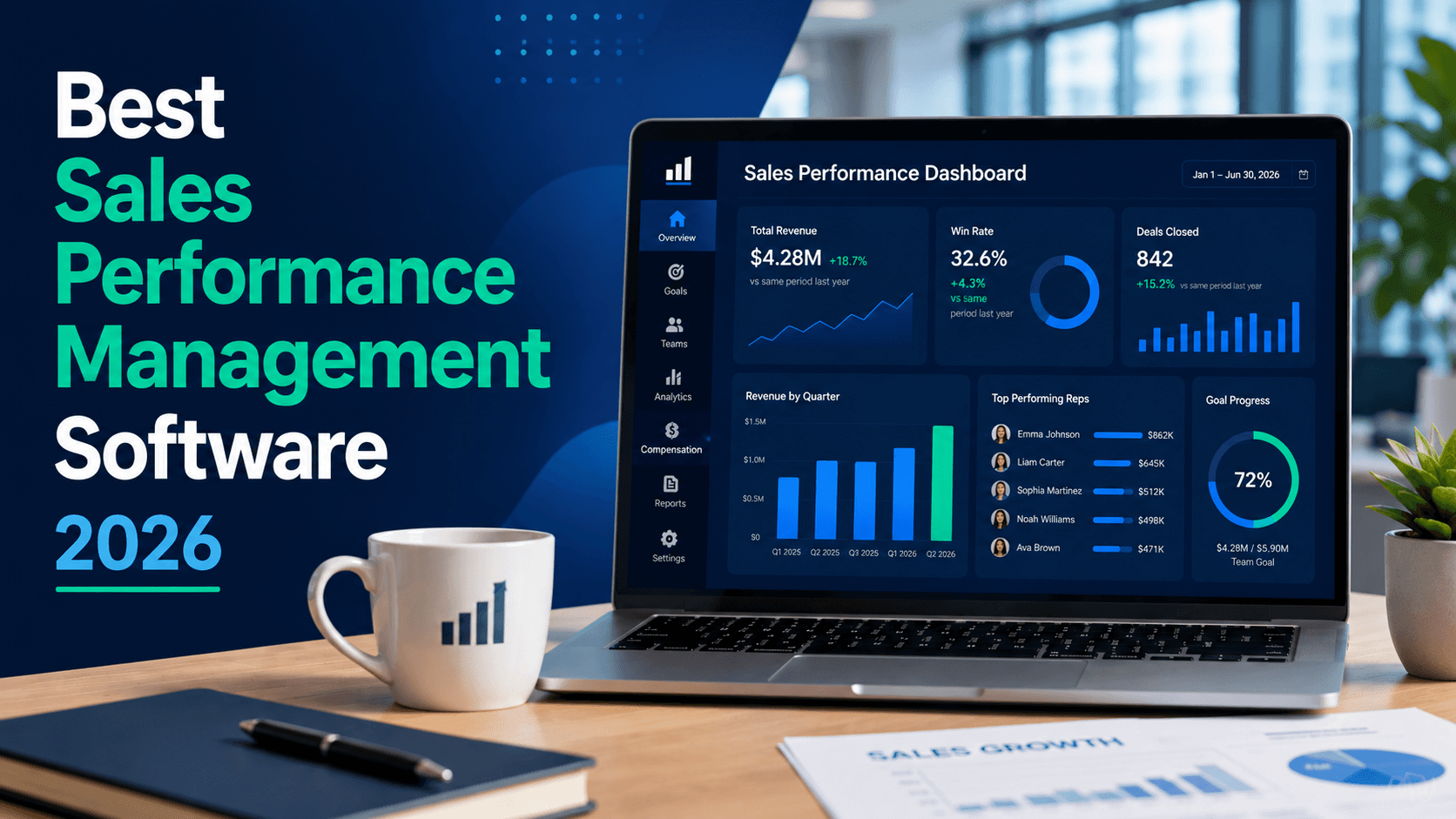
Aug 2, 2026
12 min
Revenue Operations
Aug 14, 2026
14 min
Revenue Operations
Aug 2, 2026
9 min
Revenue Operations
Aug 14, 2026
14 min
Revenue Operations
Aug 2, 2026
9 min
Sales Planning
Sales Forecasting
Sales Performance Insights
Sales Planning
Sales Forecasting
Sales Performance Insights
Sales Planning
Sales Forecasting
Sales Performance Insights

Product
© 2025 Forecastio, All rights reserved.
Sales Planning
Sales Forecasting
Sales Performance Insights
Sales Planning
Sales Forecasting
Sales Performance Insights
Sales Planning
Sales Forecasting
Sales Performance Insights
Product
© 2025 Forecastio, All rights reserved.
Sales Planning
Sales Forecasting
Sales Performance Insights
Sales Planning
Sales Forecasting
Sales Performance Insights
Sales Planning
Sales Forecasting
Sales Performance Insights
Product
© 2025 Forecastio, All rights reserved.